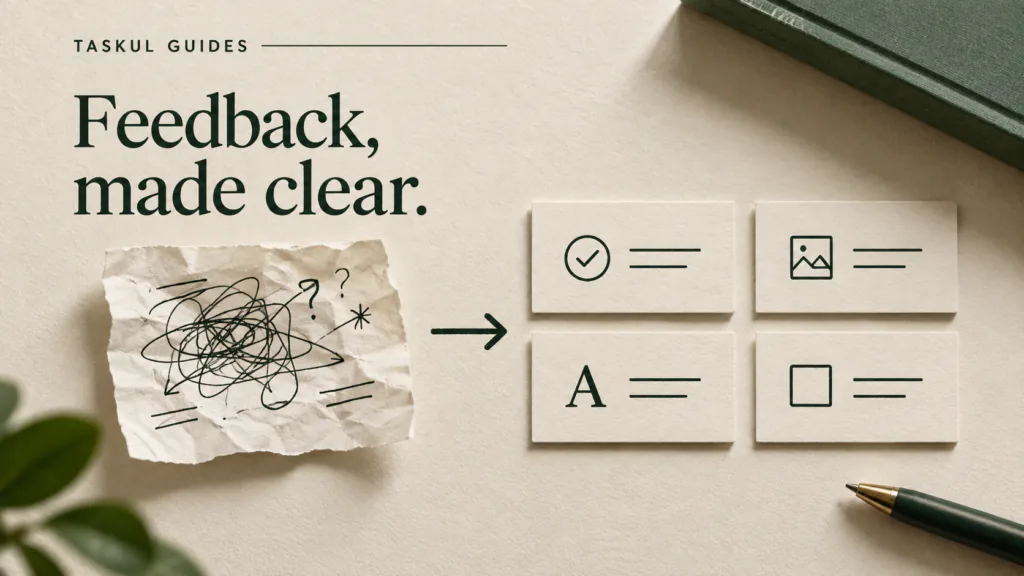
Client feedback is not a ready-made task list. A single message can contain a requested edit, a rule about what must not change, a question, and a request for extra work. Before opening the design file, separate those decisions and reply with what you understood. Revise only the part whose outcome is clear enough to check.
This guide follows one fictional mobile-homepage review from the client's original note through clarification, a revised excerpt, an agreed work list and the next review. It is an illustrative teaching example, not a real client message or a TASKUL case study. Your own contract decides what counts as an included revision or additional work.
Read the comment as five different decisions
Suppose a client writes:
The mobile homepage feels crowded. Please shorten the introduction, but keep the product explanation. We like the current logo. Could we add three customer quotes before launch? Can we see an updated version on Friday?
The temptation is to create five tasks and start moving elements. That would mix decisions the client has made with ones they have not. “Feels crowded” does not identify the problem area or desired change. “Could we add quotes?” does not confirm that approved quotes exist, that they fit the agreed scope, or that the Friday update should include them.
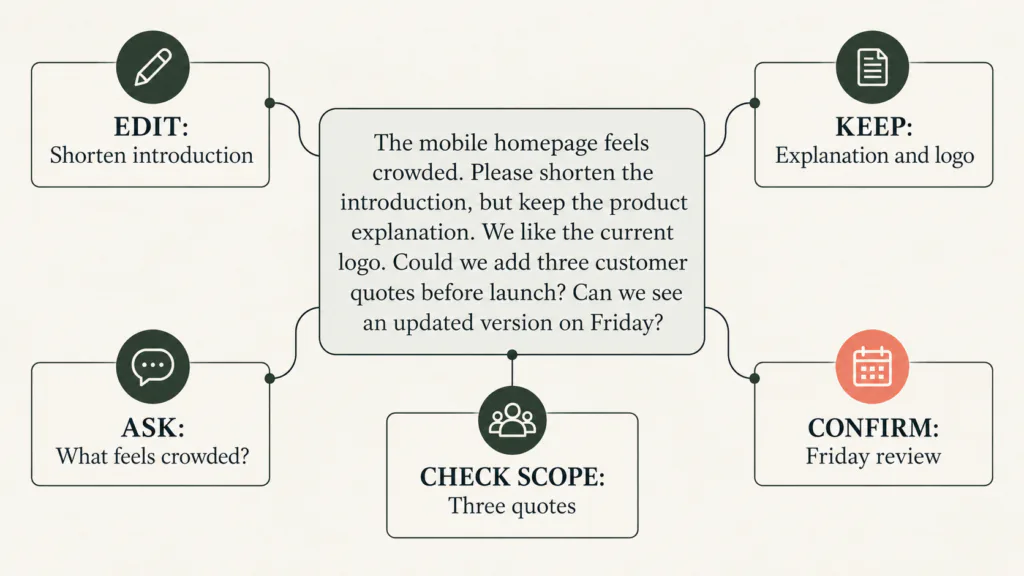
Make a decision record before assigning design work:
| Client wording | What you know | Next move |
|---|---|---|
| Shorten the introduction | A change in direction is requested | Agree what must remain, then revise and compare with the approved version |
| Keep the product explanation and logo | These are constraints on the edit | Check both before sending; do not create a logo redesign task |
| “Feels crowded” | The cause and desired outcome are unclear | Ask which section or screen feels crowded and whether the concern is copy, spacing or competing elements |
| Add three customer quotes | A possible extra deliverable | Ask for approved text, permissions and placement; check the agreement before accepting scope or timing |
| Updated version on Friday | A requested milestone | Confirm what the version must contain and when feedback or approval is expected |
The distinction is not bureaucracy. It prevents a designer from spending a revision round on something the client did not actually decide. The AGDA proposal template illustrates why deliverables, revision rounds and additional work are clearer when written down at the start.
Ask questions that lead to a design decision
“Can you be more specific?” shifts the entire problem back to the client. Ask a question with the minimum context needed to answer it.
For “feels crowded”, show the client the current mobile screen and ask: “Is the crowding mainly the amount of introductory copy, the spacing around the headline and button, or the number of elements visible before scrolling?” Offer a fourth option if none fits. The client can now point to a cause instead of supplying abstract adjectives.
For the introduction, distinguish an edit direction from an acceptance check. “Shorten it” may be enough to make a first draft, but agree what content cannot disappear. In this example the product explanation must remain. A useful task is not “make it cleaner”; it is “reduce the opening copy while keeping the approved product explanation, then compare the revised mobile screen with the approved version”. The client can accept or correct something visible.
For the quote request, ask who will supply the exact approved wording, whose permission covers its publication, where the quotes should appear, and whether they are part of the existing deliverables. Do not invent testimonials or use placeholder customer praise in a page shown as ready to launch. If the request changes scope, timing or commercial terms, follow the variation process in the actual contract. The Australian Government's contractor contract guide explains why the scope, timeframes and change process should be explicit.
Reply with an agreement the client can correct
You can send a short response before doing the wider revision. Adapt this example to your own project and agreed channel:
Thanks for the mobile review. I will shorten the introduction and keep the approved product explanation and current logo. Before changing the wider layout, could you mark the part that feels crowded and tell me whether the concern is copy, spacing or another element? The three customer quotes are a separate request: please send the approved wording and confirm whether you want me to assess that addition against the agreed scope and schedule. For Friday, do you want a revised mobile screen for review, or a page ready for final approval? Once I have those answers I can confirm the next version and timing.
This reply does not promise Friday completion before the open questions are answered. It says what can proceed, what cannot, and what the client must decide. It also gives the client a chance to correct your interpretation before design time is spent.
If a review has many comments, consolidate them in one record and identify the version they refer to. A message about version 2 can become misleading after version 3 changes the same screen. Preserve the comment, the response and the approval source together.
Follow one decision through to the next review
Suppose the client replies: “The opening copy is what feels crowded. Keep the product explanation, leave the logo alone, and show a revised mobile screen on Friday. We will decide about quotes separately.” This is a fictional continuation, not evidence that every client will respond this way. The designer can now act on the introduction without silently accepting the quote request or changing the wider layout.
For a concrete copy check, imagine the approved draft opens: “We help growing teams bring their projects, client messages and upcoming work together in one place so everyone can see what needs attention. The service gives each project a shared task view, with owners and due dates.” A proposed shorter opening might read: “Bring client projects, messages and next tasks into one shared view. See each task's owner and due date.” The second version is shorter and retains the product explanation, but it changes the wording. Show the two versions side by side and let the named approver decide whether the meaning is preserved. Do not treat the example copy as a real TASKUL feature claim.
After that answer, update the record rather than leaving the original question open: mark the introduction edit ready, the logo keep unchanged, the crowding question answered for the opening only, and the quote request separate and unscheduled. The Friday deliverable is now a revised mobile screen for review, not an approved page or a public launch. If the client does not actually give that answer, keep the wider layout blocked and offer a partial review instead.
Convert only agreed work into tasks
A task should be small enough to test. For the introduction, record the page and viewport, the approved source version, the change, the constraint and the acceptance check. For example:
Mobile homepage, version 3. Shorten the opening paragraph. Keep the approved product explanation and logo unchanged. Compare the new screen with version 2 before sending. Owner: designer. Status: ready.
For “feels crowded”, the initial record is a question to the client. After the fictional reply above, update that same item instead of leaving it open:
Mobile homepage opening copy, version 3. The client identified the opening copy as the crowded area. Owner: designer. Status: ready for a shorter-copy review. Do not redesign the wider layout; this answer did not authorise it.
For the quotes:
Proposed addition: three customer quotes. Await approved wording and permission; check whether this deliverable is in the agreed scope and how it affects review and launch. Status: proposed, not scheduled.
The worked feedback record separates the five parts of this fictional message. The blank record gives you the fields to use with a real review. The file is an aid, not a replacement for your contract or for keeping the original approval.
What if two reviewers disagree?
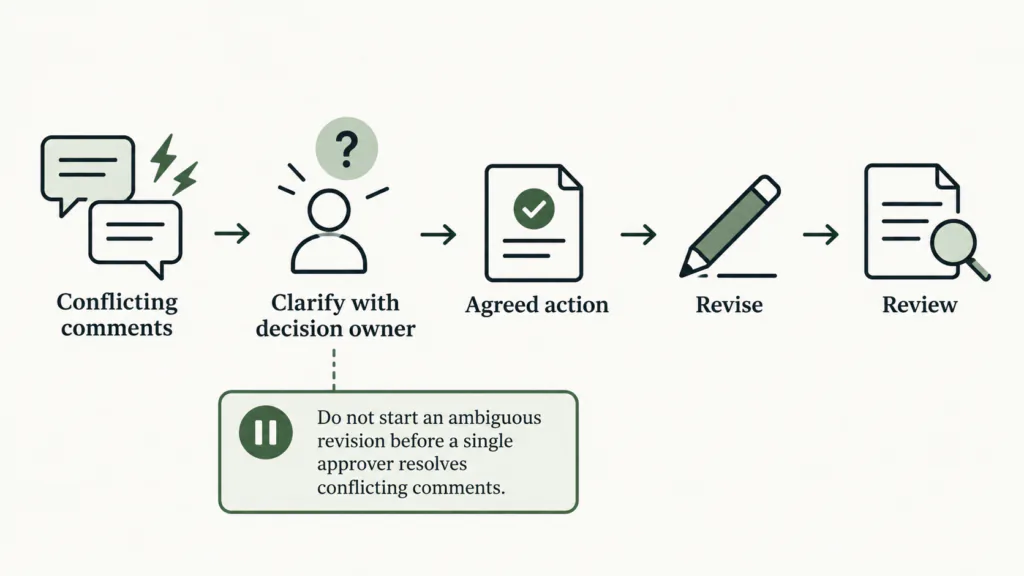
Suppose the marketing lead asks for a larger logo and the founder says the existing logo must stay. Do not edit both versions and ask which one wins after the fact. Check who is named as the decision owner in the brief or ask the client to nominate one approver. Present the conflict in one message with the page and version:
I have two different directions for the mobile header: enlarge the logo, or keep the approved size. Which should I use for the next review? I will hold this part of the revision until the nominated approver confirms one direction. The agreed introduction edit can continue separately.
This is a pause at the conflicting decision, not a pause on the whole project. It protects work that is ready while keeping an unresolved instruction out of production. If the client changes the authorised reviewer, save that decision beside the brief.
Another common conflict is “make it feel new, but change nothing”. Ask what the client is actually willing to alter: typography, spacing, imagery, motion, copy or hierarchy. If no element may move, an exploratory direction is not yet an executable revision. Show options in a separate discussion before promising a final file.
Review the revision against the original note
Before sending the new version, check each line of the source message rather than checking only your task list:
- Is the introduction shorter without removing the required product explanation?
- Is the logo still the approved version?
- Did you change the wider layout only after the client clarified “crowded”?
- Were the quotes held until their wording, permission and scope were resolved?
- Is Friday labelled as a review, approval or launch according to what the client actually confirmed? In this worked continuation, it is a mobile-screen review.
Send the new version with a short decision summary: what changed, what stayed, which questions remain, and what the client needs to approve. Ask for one consolidated response from the agreed decision owner where your process allows it. Record the approved version and approval date. A green “done” label without the source decision is hard to defend when the next review begins.
If feedback lands too late to preserve an agreed milestone, use the web project timeline to show which review, approval and launch steps move. If the new work competes with another client's deadline, the multiple-project guide shows how to recheck capacity.
Choose a record you can actually maintain
You do not need a new platform to apply this. A feedback record needs the source and version, the client's wording, the decision type, the next action, its owner, the state, the follow-up and the approval source. Keep screenshots or links to the original design version with the record. Do not paste confidential client material into an AI tool unless the client agreement permits it.
When feedback is short, a clear email reply and a versioned design file may be sufficient. When several reviewers and rounds are involved, the record prevents old instructions from being mistaken for current approval. You can explore TASKUL on its English product page. The free guide and files work without the product; this process still requires your judgement and the client's approval.
Questions that change how you respond
Is every client comment a task?
No. A comment can be a constraint, question, preference, request or approval. Turn it into design work only when the outcome and authority are clear enough to check.
Should I do a quick revision before asking?
You can proceed with an unambiguous, agreed edit that fits the current scope. Do not guess at a conflicting instruction or a potentially additional deliverable merely because it seems quick. A fast wrong edit still consumes a review round.
How do I push back without sounding defensive?
Name the shared goal and the specific decision. “I can keep the logo unchanged and make the headline more prominent, but those are different adjustments. Which outcome matters for this review?” is more useful than “your brief is unclear”.
What if the client does not answer before the review date?
State what can be shown with the information available and what remains pending. Confirm whether the milestone is a partial review or needs a new slot. Use the written change process for an agreed contractual date; do not assume silence is approval.