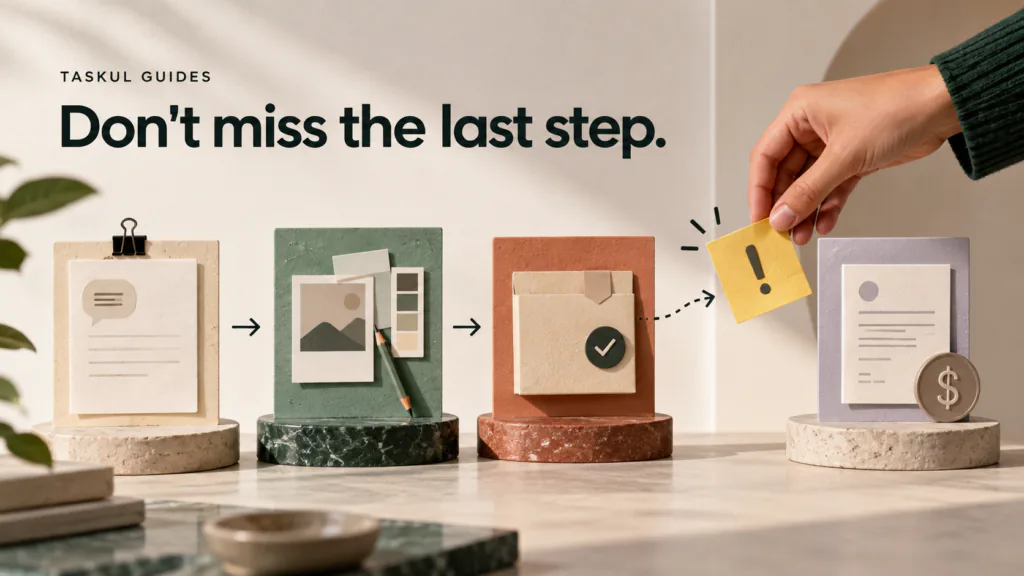
The file can be delivered while the job is still unfinished. A client request may be missing from the final version, the approved format may be wrong, or the invoice may never be sent. For a freelancer handling several creative jobs, a checklist is useful when it records what must be verified at a particular moment, not when it tries to remember every possible task.
This guide adapts the workflow in TASKUL’s Japanese checklist article for Australian freelance client work. It follows one fictional design project through a brief, a change request, delivery and payment follow-up. The project and dates are teaching examples; your actual contract and client approval process take precedence.
Use four short checks at four different moments
A single master list becomes easy to ignore if half its items do not apply today. Keep four small checks tied to events: the brief is agreed, work is under way, files are about to be delivered, and the agreed payment process is under way. The point is to open the right list when its trigger occurs.
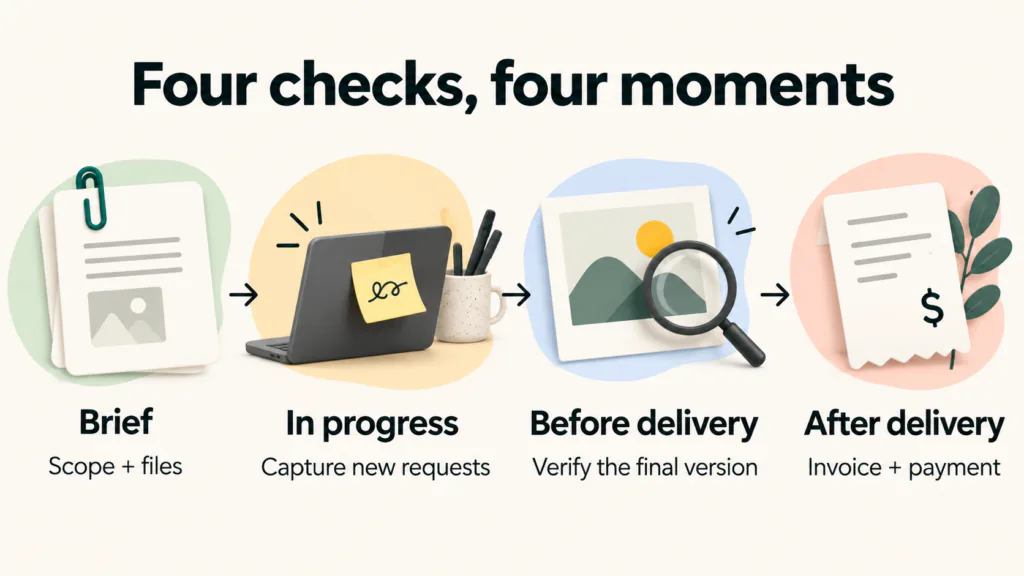
| Moment | Trigger | The question to answer |
|---|---|---|
| Before starting | The project is accepted but production has not begun | Do I have the scope, inputs, decision owner, file requirements and agreed review process? |
| While working | A new message, meeting decision or revised asset arrives | Has the decision been captured, assigned and checked against scope and timing? |
| Before delivery | The final export or review link is ready | Does this exact version match the approved request and open correctly for the client? |
| After delivery | The agreed delivery or billing milestone occurs | Have I recorded the handover, issued the right invoice and set a payment follow-up? |
The first and last questions are easy to overlook because they sit outside the creative work. The Australian Government’s contractor contract guidance recommends clarity about deliverables, timeframes, payment and how changes will be handled. A checklist helps you follow the agreement; it does not create an agreement that was never made.
Before work: turn the brief into a checkable handover
Imagine a fictional designer, Maya, preparing a campaign package for an Australian client: one approved visual direction, a print-ready brochure PDF and four social ad files. The client will review a version on Thursday; approval, final handover and billing happen later. The copy will come from the client, and one nominated person will combine comments. For this example only, the signed proposal says Maya invoices on final handover, with payment due 14 calendar days after the invoice date. Nothing about these details is a TASKUL customer result or a recommended payment term.
Before opening the design file, Maya checks the following against the proposal or written brief:
- Deliverables. Is it one brochure and four social files, or are editable source files included too? Write the number and type of files.
- Required formats. Record the agreed PDF specification, dimensions, file naming and any platform requirements. Do not assume a client can use the format you normally export.
- Inputs and rights. List the final copy, approved logos, photography and who confirms permission to use each supplied asset.
- Dates and stages. Separate the Thursday review link from final approval, public publication and file handover. A requested date is not automatically an agreed one.
- Decision owner. Name the person who can approve a direction and consolidate feedback if several people comment.
- Revision and change process. Check the agreed rounds and what happens if the client adds a new format or changes copy after approval.
- Billing trigger. Note the invoice milestone and payment terms from the actual agreement; do not invent a payment date from the design schedule.
If an item is missing, the next action is a question to the client, not a speculative finished file. For example: “I have the brochure and four social files in scope. Could you confirm whether editable source files are included and who will approve the final copy? I will use that answer to confirm the Thursday review version.” This is more useful than a vague “everything is on track”.
The agreed brief is the source of truth for this check. The AGDA proposal template is a useful example of why deliverables, revisions and additional work should be described explicitly, but the template is not a substitute for Maya’s actual terms.
Maya’s first-stage record is already useful before she designs anything:
| Check | State | Evidence or next decision |
|---|---|---|
| One brochure and four social files are in scope | Done | Signed proposal lists the five deliverables |
| Editable source files are included or excluded | Waiting | Ask the nominated approver; do not assume they are included |
| PDF specification and social dimensions are confirmed | Waiting | Client supplies print requirements and platform sizes |
| Thursday is a review, not final delivery | Done | Review date and later approval step recorded separately |
| Invoice trigger and terms are recorded | Done | Final handover and 14-day term in this fictional proposal |
During work: capture requests before they disappear into chat
On Tuesday, the client writes, “Could the brochure also have a square cover for our partner’s feed?” That message is easy to acknowledge and then forget. It is also not automatically part of the four social ads already agreed. Maya records the exact wording, the source message, who asked, who can approve, and the decision still needed. She can continue the agreed brochure work while the square-cover request is assessed.
A small change record might read:
Requested: square cover for partner feed. Source: Tuesday client email. Status: proposed; scope and dimensions not confirmed. Next action: ask for platform specification, approval owner and whether this is additional to the agreed four social files. Do not export: until the decision is recorded.
The record avoids two opposite mistakes: ignoring a request because it arrived in chat, and silently adding work before scope and timing are agreed. If the request changes the contract, use the change process in the agreement. The feedback guide shows how to separate an agreed edit from a question or an extra request.
In this example, Maya asks whether the partner square cover is a sixth file. The approver confirms in writing on Wednesday that it is outside this project and may be quoted separately. Maya marks the request “deferred — not in Thursday review or final handover” and links that decision to the Thursday review version. If the client had instead accepted a revised scope and date, she would have recorded those agreed changes before making the file.
| Check | State | Evidence or next decision |
|---|---|---|
| Client-supplied copy and images are final for review | Done | Wednesday source email and version recorded |
| Square-cover request is classified | Done | Written decision: separate future quote, excluded here |
| Four social files still match the agreed count | Done | Work list still has exactly four files |
| Next review version and owner are recorded | Done | Thursday review version and nominated approver named |
Open the in-progress check when a new client instruction arrives, after a review call and before closing the work day. Do not create a separate entry for every friendly comment. Record only what changes a deliverable, an owner, a date, an approval or an open decision. When a decision is resolved, link it to the version it affects.
Before delivery: replace “looks fine” with observable checks
“Check delivery” is too vague to protect the final export. Rewrite it so another person could see whether you did it. For Maya’s package, that means checking the approved brochure version against the final file, opening the files that will actually be sent, and verifying the link the client will receive.
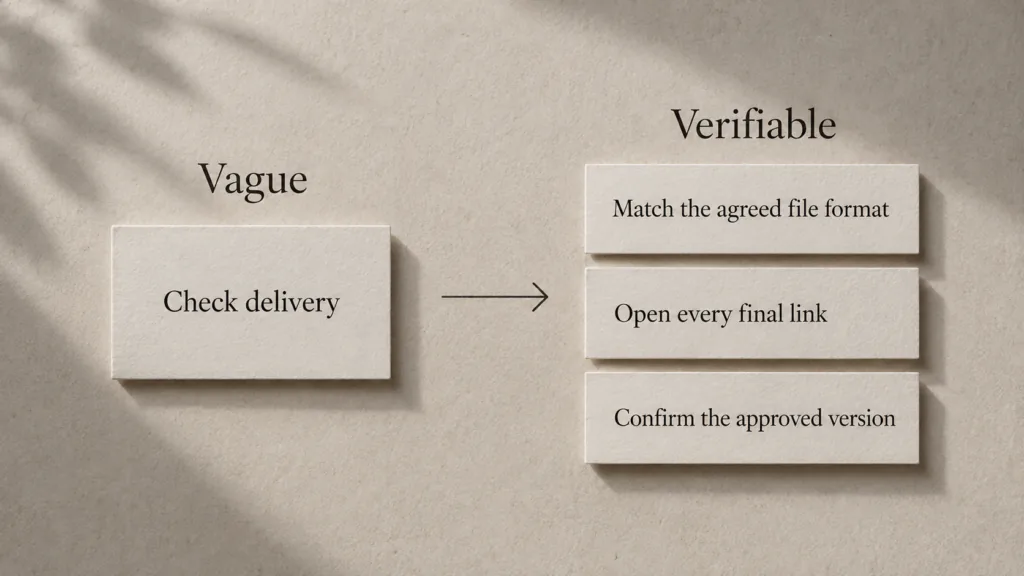
Use a sequence that follows the review and then the handover:
- Compare the final change list with the agreed brief and the latest authorised client decision. Mark any still-open request separately.
- Open the exported brochure PDF, not only the source design file. Inspect key pages and the actual print or digital settings specified in the brief.
- Open all four social files. Confirm dimensions, content version, image rights and file names against the brief.
- Test every link in the Thursday review message while signed out if that is how the client will access it. Check that the linked folder holds the intended review version rather than an older draft.
- State exactly what is being sent for review and what remains for final approval. Ask the named approver for one consolidated response if that is the agreed process.
- Save the review version identifier and sent date. Leave the approval field open until an authorised response arrives.
On Friday, the nominated approver returns one consolidated list of two in-scope edits. Maya applies them, checks the revised export and asks for final approval of version 2. The approver confirms version 2 in writing on Monday. Maya then creates a separate handover folder containing only the approved brochure PDF and four social files, opens each file again, checks recipient access, and sends the final link on Tuesday. The square cover remains excluded. These fictional dates show the distinction between review, approval and delivery; the actual sequence must follow the agreed process.
| Check | State | Evidence or next decision |
|---|---|---|
| Thursday review package contains the agreed five files | Done | Review-version manifest and tested link |
| Friday comments are reconciled against scope | Done | Two agreed edits; square cover remains excluded |
| Final version has authorised approval | Done | Monday written approval names version 2 |
| Tuesday handover contains only approved exports | Done | Five files opened and final link tested as recipient |
| Client receives the final handover record | Done | Tuesday message and exact folder version saved |
Do not invent a universal waiting period between export and delivery. A second review by another person, or by yourself after a break, can catch mistakes, but the available time and required checks depend on the job. If the time is too short to complete an agreed check, discuss the milestone instead of ticking a box that was never tested.
For a website, links, forms, mobile layouts and live publication require their own checks. The web project timeline separates the checked review version from sign-off, publication and handover. For accessibility, the W3C Easy Checks are a starting point, not a full compliance assessment.
After delivery: keep the financial follow-up visible
Tuesday’s final handover completes Maya’s production milestone in this fictional agreement. She invoices on that agreed trigger and records the invoice number, date and a due date 14 calendar days later. On the due date she checks her payment record. If it shows payment, she marks the invoice received with the actual date. If it does not, she checks for a processing delay and sends a courteous reminder under her agreement. She does not mark the project paid merely because the files were sent or the client approved them.
| Check | State | Evidence or next decision |
|---|---|---|
| Final handover and invoice trigger are recorded | Done | Tuesday final-link message; signed proposal |
| Appropriate invoice is issued | Done | Invoice number, sent date and due date retained |
| Payment is checked on the due date | Scheduled | Compare bank record with the invoice; do not assume receipt |
| An unpaid invoice has a next action | Conditional | Follow the agreement’s reminder process if still unpaid |
| Project is marked paid | Waiting | Only after actual receipt is verified |
For Australia, invoice wording depends on whether the business is registered for GST. The Australian Government’s invoicing guide distinguishes a tax invoice from a regular invoice and lists the relevant details. This article does not decide Maya’s GST status or provide a tax invoice template; use the current official guidance and her own business records.
Keep the production and payment states separate. “Final files delivered” can be true while “payment received” is false. Do not hold back a contractually required handover just because your private checklist says “payment pending”; follow the terms actually agreed. Store the final files and approvals so a later revision request starts from the version the client received.
Build a checklist that survives the next project
The Japanese source article proposes five steps: choose one purpose, list the work, put it in sequence, replace vague wording, and revise it after use. That structure transfers well to Australian freelance work. The most useful starting point is the task you once forgot, not an enormous generic template.
First choose a trigger and purpose: “before sending final files, catch format and approval errors.” Next, take one recent project and list the actions you actually performed. Put them in the order that prevents rework: confirm the required format before exporting, inspect the export before sending, test the link before telling the client it works. Then replace any item that cannot be verified.
| Vague item | Checkable replacement |
|---|---|
| Check the files | Open each final file and compare its format and name with the approved brief |
| Check client feedback | Match every agreed change against the final version; list unresolved requests separately |
| Send the invoice | Issue the invoice under the agreed terms; record the sent date and due date |
Run the list on the next real project. If a line repeatedly causes you to stop and ask what it means, rewrite it. If a check never applies at that moment, move it to the right stage or remove it. The list should become easier to use after a project, not longer by default.
The worked checklist CSV contains Maya’s four stages, specific checks, owners and evidence fields. The blank CSV is available without registration. Copy it into a spreadsheet or use the same structure in a notebook. Do not put client passwords or confidential material into a public file.
A checklist cannot repair an impossible schedule
If three delivery dates collide, a checklist will reveal the work that remains; it will not create the hours to do it. Compare the remaining work, review windows and other commitments. Ask for missing client inputs and renegotiate a milestone when required. The multiple-project guide works through a three-client week and shows how to distinguish ready work from blocked work.
The same applies to approval. A checked export is not permission to publish, and a client’s silence is not approval unless the actual agreement provides for that. Keep the approval decision with the version it covers. If the agreement is unclear, resolve that first. A better checklist should make a missing decision visible, not hide it under a green tick.
TASKUL’s English product page is available. You can use both CSV files and this method without the product. If you evaluate TASKUL, test a real, non-confidential project against its current features rather than assuming this checklist is automated.
Questions about using the checklist
Should every project use the same list?
Reuse the stages, not every item. Keep the checks that apply to every job, then add the formats, approvals and delivery tests for the specific brief. A print brochure and a website need different final checks.
When should I add a request from a client message?
Record it as soon as it can change the work, with its source and decision owner. Mark it proposed until scope and timing are agreed. Recording a request is not the same as accepting it.
Is delivery complete before the client pays?
Creative delivery and payment are separate states. Follow the contract for when files are handed over and when the invoice is due. Track both states so neither is mistaken for the other.
Is a spreadsheet necessary?
No. Paper or a simple note works if you open it at the right moment and retain the decision source. A spreadsheet helps when you reuse the stages across clients or need to filter open checks. Change tools only when finding the next check becomes harder than maintaining the tool.