
A freelance timesheet should help you explain which work sessions belong in the next hourly invoice. Record the time first, then check the entries against the agreement, any required review and your earlier invoices. Keep doubtful rows visible rather than counting every recorded minute as billable.
Start with the blank timesheet CSV, compare the fictional completed example, and keep the field notes and example references beside your copy. The files contain plain values, with no spreadsheet formulas or automatic approvals. Import into a copy and check the columns, timestamps and text before using it for live work.
Keep an unchanged original of your session records before reviewing or correcting them, then preserve the reviewed selection as a separate dated version. The example’s notes explain its fields and every invented reference; you do not need to run a script to use the worksheet.
This worksheet is for a solo freelancer reviewing hourly work. For fixed-price work, recorded time can help you understand the effort, but it does not become an extra hourly charge merely because you logged it. Use the agreed charging basis. This is a suggested work record, not an invoice, payroll sheet or determination of what a client legally owes.
A completed example: 140 minutes selected for the next invoice
Mara at Fern Window Studio is checking work for the invented client Lumen Walks. Every person, business, work session, date, agreement and reference in this example is fictional. No real invoice has been prepared or sent.
The example is a review snapshot taken on 14 November 2026 at 10:00+11:00. Its fictional agreed hourly arrangement, AG-01, covers the specified design work. It excludes studio bookkeeping, leaves a requested extra illustration unconfirmed and calls for review of the selected sessions before billing. Mara’s fictional review records identify which entries have passed that check. Those are facts of the invented example, not suggested terms for your own client.
| Entry | What the record says | Selected minutes | What happens next |
|---|---|---|---|
| T01 | 09:00–10:30, with a 10-minute break: 80 minutes of layout work; covered and reviewed | 80 | Include in the next hourly handoff. |
| T02 | 10:30–11:00: 30 minutes of corrections; covered and reviewed | 30 | Include. Starting when T01 ends creates no overlap. |
| T03 | 20 minutes of studio bookkeeping; excluded by the example agreement | 0 | Retain as work recorded, outside this invoice selection. |
| T04 | 45 minutes on an extra illustration; charging basis unconfirmed | 0 | Clarify the agreement; do not infer approval from the work happening. |
| T05 | 30 covered minutes; required review still pending | 0 | Obtain the missing review before reconsidering the row. |
| T06 | 60 covered, reviewed minutes; already linked to an earlier invoice | 0 | Keep the earlier reference; exclude from this new selection. |
| T07–T08 | Two sessions overlap; both are on hold | 0 | Check the original records and correct the sessions. |
| T09–T10 | Two rows describe the same session; both are on hold | 0 | Establish the retained entry and document the duplicate. |
| T11 and T13 | One end precedes its start; another session lacks timestamp offsets | 0 | Correct the source records before calculating usable minutes. |
| T12 | 23:45 to 00:15 the next day, both with +11:00 offsets: 30 minutes; covered and reviewed | 30 | Include. The full dates establish the overnight duration. |
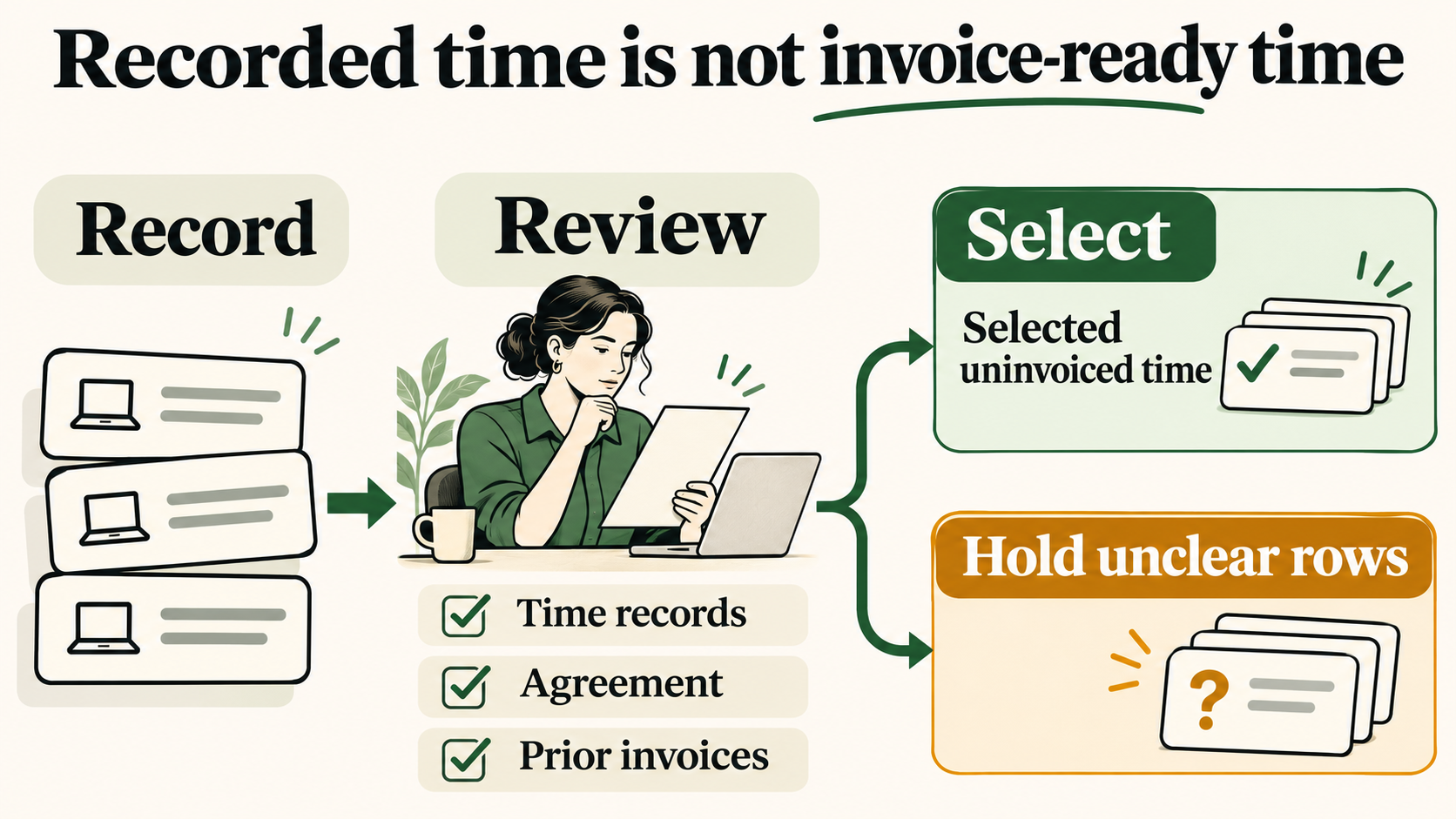
T01, T02 and T12 contribute 80 + 30 + 30 = 140 minutes, or 2 hours 20 minutes. The two invalid rows have blank elapsed-minute cells because the example cannot establish a usable duration for them. Blank does not mean zero work.
The other rows explain why a sum of the elapsed column is unsuitable as the next invoice quantity. It would mix selected work with excluded, unconfirmed, unreviewed, previously invoiced and conflicting entries. The two duplicate rows alone would count one apparent session twice. Nor would that sum establish how much unique time Mara worked.
Record a session clearly enough to check it later
Use one row per work session, with a stable entry ID, client, project and a short description of the work. “First layout of walking-map panel” gives a reviewer something to recognise. “Design” gives them less to check. Split a session when it changes project or charging basis.
Record full start and end timestamps, including their dates and UTC offsets. The worked file uses values such as 2026-11-10T09:00+11:00. An offset identifies the time represented by that entry; it is not a claim that all Australian locations share one timezone. Use the correct offset for the actual session, particularly when travelling or working across a clock change.
Enter breaks as whole minutes and check the subtraction:
T01: 90 elapsed clock minutes − 10 break minutes = 80 work minutes.
In this worksheet, elapsed_minutes means the session duration after subtracting the recorded break. It is still a time calculation, not a billing decision. Do not subtract a break twice if your original timer already left it out; reconcile what the start, end and break fields actually represent.
Keep the agreement reference close to the row. For this sheet, covered, excluded and unconfirmed describe the charging basis recorded for the session. Use fixed_price where the time belongs to a fixed-price arrangement. A task being useful to the client does not choose one of these labels for you. Where an agreement has a limit or another condition, check it before marking a row ready; the sheet does not calculate budget caps.
The separate review fields record the actual check required for that work. Write checked only with a reference to that review. If no client review is required, a freelancer can record their own completed check and its basis; do not invent a client approval. A missing answer remains pending.
Put conflicting entries on hold before deciding the total
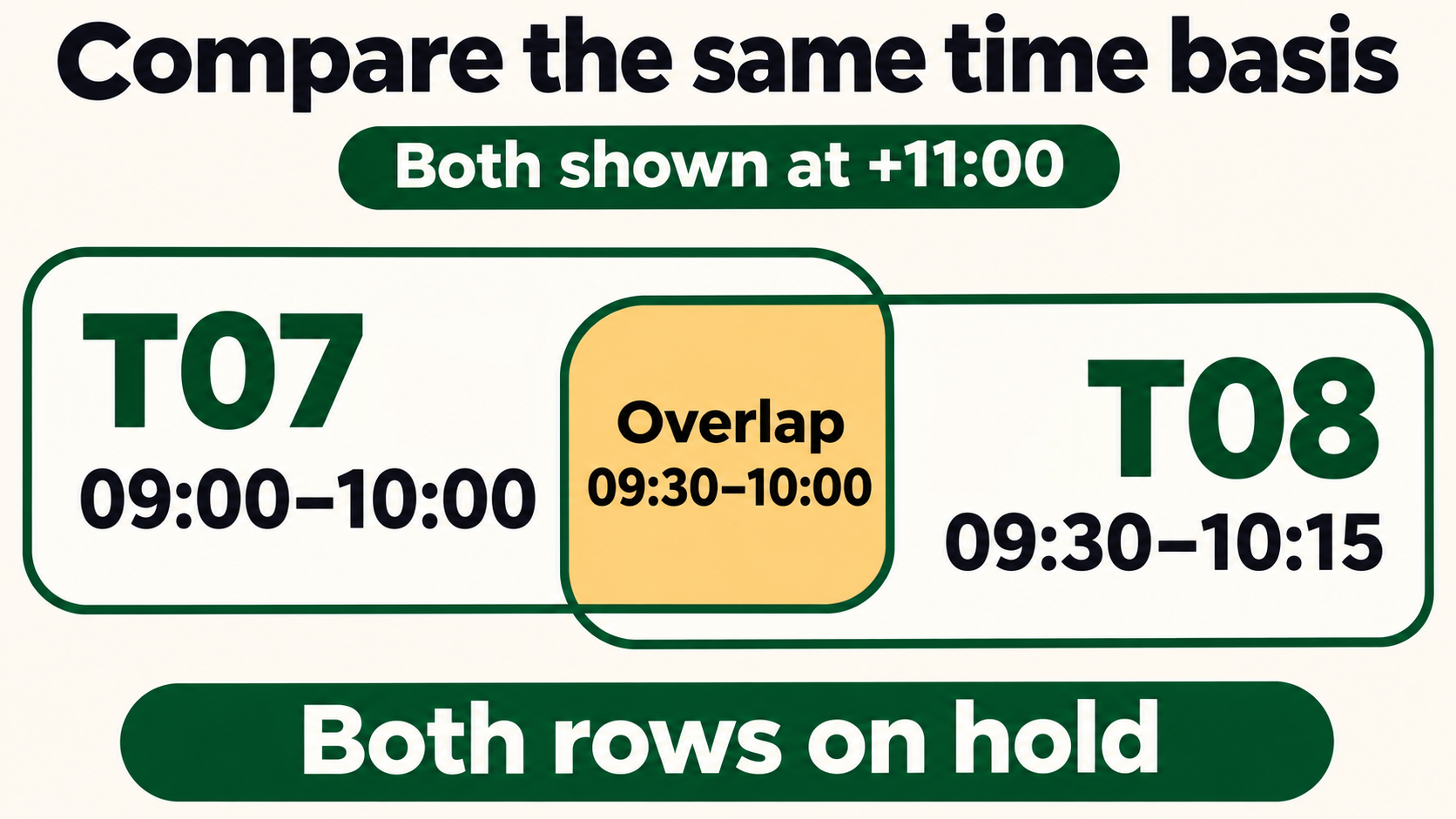
An overlap is a reason to investigate. T07 runs from 09:00 to 10:00 at +11:00. T08 runs from 08:30 to 09:15 at +10:00, representing 09:30 to 10:15 at +11:00. Their work intervals overlap even though the displayed start times look different.
For this solo-work example, both rows stay on hold. Check the timer, notes and actual sequence. Do not automatically divide the shared minutes between the tasks or simply keep the longer entry. The file does not establish what really happened, and no corrected replacement is asserted in this snapshot.
A duplicate is more specific: T09 and T10 have matching client, project, task, timestamps and break. Different entry IDs do not make them different sessions. Both remain held until Mara identifies the retained record. In your own sheet, preserve the discarded row’s ID and reason in your history so a later import does not quietly restore it. Similar descriptions can also conceal a duplicate, so a comparison of exact matches cannot replace reading the entries.
An end before its start needs a correction, not a negative invoice quantity. A missing offset needs clarification, not an assumed location. Keep the original record available, add the correction and reason through your normal version history, then repeat the affected checks. This CSV does not retain that history automatically.
Keep minutes separate from decimal hours and charging increments
Eighty minutes is 1 hour 20 minutes, not 1.80 hours. Decimal hours use minutes divided by 60. The selected 140 minutes equal 2 hours and 20 minutes; a decimal representation continues beyond two decimal places.
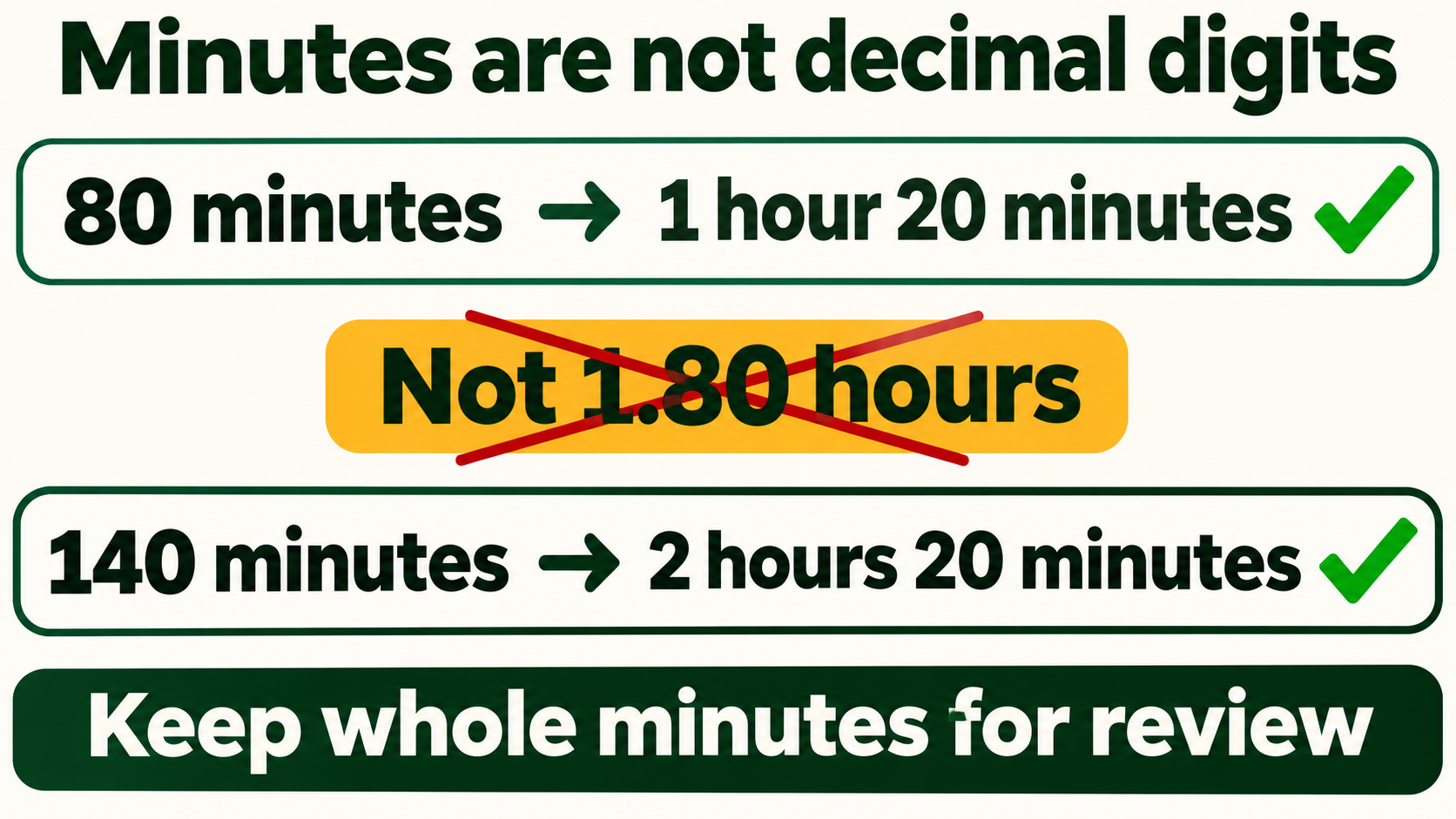
Keep the whole-minute quantity while reviewing. When preparing the actual invoice, use the agreed unit, increment and rounding treatment and check the resulting quantity. The example assumes no upward rounding and supplies no amount calculation. It does not decide whether an engagement permits minimum charges, six-minute blocks or rounding each session separately. Clarify an unstated rule rather than adding one during invoicing.
Similarly, a fixed-price project can have useful time records without any row belonging in an hourly handoff. Keep those minutes for your effort review and handle any proposed extra work through the actual agreement process. Logging 45 minutes on an unconfirmed addition, as in T04, does not settle its price or charging basis.
Finish the selection without charging the same session twice
Before selecting a row, check all four questions:
- Is its time record valid and free of unresolved duplicate or overlap questions?
- Does the actual agreement cover this hourly charge, including applicable limits and conditions?
- Has the required review been completed and referenced?
- Has the session already been included in an earlier invoice?
In the example, ready_minutes is Mara’s recorded selection after those checks. A zero means the row contributes nothing to this handoff; its other fields explain why. It does not necessarily mean the work was unpaid, unnecessary or never billable. T06 illustrates that distinction: it has already been invoiced, so adding it again would repeat the session.
Keep the selected entry IDs with the invoice preparation record. Once an invoice is actually issued, record its reference against the included sessions and preserve the reviewed version. Do not fill an earlier-invoice reference just because you intend to send an invoice, and do not treat an invoice reference as proof of payment. Corrections or credits need their own record rather than silently clearing the reference and selecting the time again.
The Australian Government’s guide to invoicing describes an invoice as a request for payment. This worksheet supplies supporting time detail; the invoice and its contents are a separate step.
Keep the unresolved rows with the next question that will move each one forward: clarify T04’s basis, obtain T05’s review, reconcile T07–T10, and correct T11 and T13. Select the resolved work without presenting the rest as approved. A useful timesheet lets you explain both the minutes included and the entries you have left out.