
A UTM link worksheet should let the next person compare the placement, the agreed tag values and the exact destination URL. Keep the original link beside the proposal. If it already contains a conflicting campaign value or a repeated key, leave that row held with a question rather than silently replacing or deleting the original values.
This guide follows four fictional campaign placements: one needs tags added, one already matches, and two need the campaign owner’s answer. The useful output is two compared links and two unresolved rows. It is not a report of clicks, a publishing approval or evidence that Analytics collected anything.
All clients, people, placements, labels, URLs and decisions below are invented. Fern Window Studio is a fictional small studio, not a TASKUL case study. Every destination uses example.com. No link was clicked or requested, no email or post was sent, and no Google Analytics property or URL-builder interface was opened.
Agree what each placement is meant to carry
Kit, the fictional campaign owner, supplies brief BR01 for studio_open_day. The brief names four values for each distribution placement. Those values are the comparison target; the person preparing the links does not choose a different campaign because an old link contains one.
| Placement ID | Placement | Agreed source | Agreed medium | Agreed content |
|---|---|---|---|---|
| P01 | Newsletter introduction button | fern_newsletter | intro_button | |
| P02 | Newsletter footer text link | fern_newsletter | footer_text | |
| P03 | Partner directory event listing | makers_directory | referral | event_listing |
| P04 | Newsletter sidebar text link | fern_newsletter | sidebar_text |
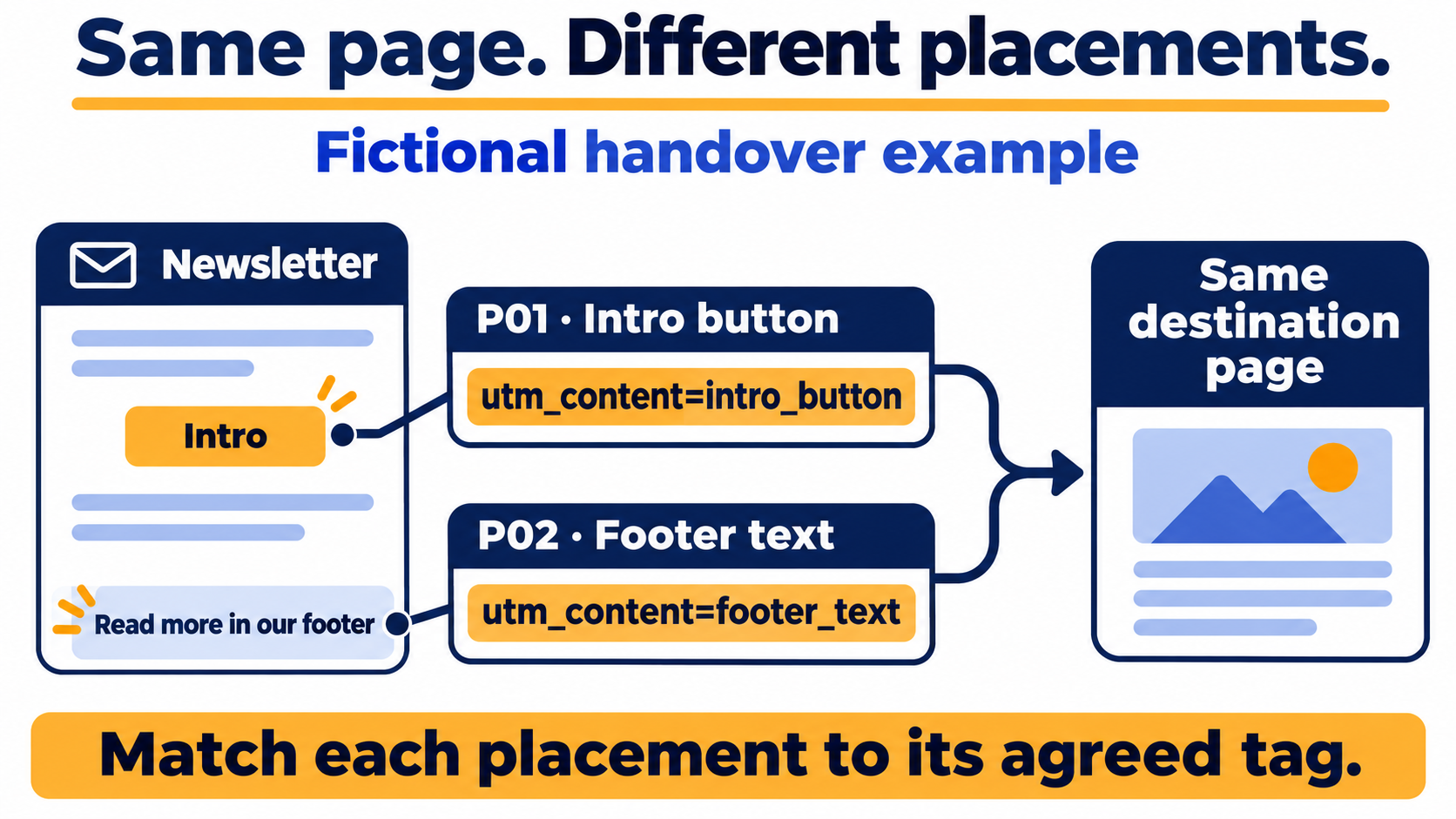
The agreed campaign value is studio_open_day for all four. In BR01, source identifies the referral source, medium the distribution type, campaign the shared campaign and content the particular placement. The introduction and footer have different content labels even though they point to the same example page.
Google’s campaign URL guidance defines these parameters, including content variants, and explains case-sensitive values. BR01’s labels are editorial choices, not universal channel classifications. Other relevant parameters and the actual measurement configuration need the owner’s separate decision; four teaching fields do not establish complete tracking.
Keep the exact agreed case and spelling. A convenient lowercase rule is not permission to change an original value automatically. If the supplied agreement is missing or ambiguous, record that question before preparing a final link.
Copy the worksheet and keep the original strings
Use the blank worksheet (CSV), four-placement worked worksheet (CSV), component readback (CSV) and hand-reading notes (TXT). The notes walk through all four rows without Python.
The files contain plain UTF-8 BOM CSV values, without formulas, automatic approvals or a URL-building service. Spreadsheet and Office import has not been tested. Import a copy and compare column boundaries and the full URL strings with the source file. Keep the Original destination column unchanged.
BR01 gives the example destination a query value and a fragment:
https://example.com/workshop/?lang=en%2DAU#programme
The original query is exactly lang=en%2DAU. The fragment is programme. In this handoff, keep those original strings rather than decoding and re-encoding them into a tidier-looking spelling. A URL parser may be useful for inspecting components, but the task is not to rewrite the supplied destination.
MDN’s fragment reference describes the fragment beginning with # as the final URI component. Query tags belong before that boundary. Text that looks like a tag after # is still part of the fragment in this case.
This structural comparison says nothing about whether the example page, language option or anchor actually works. Nor does it establish what happens to the URL through an email tool, shortener or redirect. Those behaviours have not been tested.
P01: build the introduction link, then read its components back
P01 starts with the untagged destination above. BR01 allows the four missing query pairs to be added after the existing query and before the original fragment. The proposed final link is:
https://example.com/workshop/?lang=en%2DAU&utm_source=fern_newsletter&utm_medium=email&utm_campaign=studio_open_day&utm_content=intro_button#programme
Compare the pieces with P01 rather than checking whether the whole string merely contains the word studio_open_day:
| Component read from P01’s proposed final URL | Value | Comparison with BR01 |
|---|---|---|
| utm_source in the query | fern_newsletter | Matches P01 |
| utm_medium in the query | Matches P01 | |
| utm_campaign in the query | studio_open_day | Matches the campaign |
| utm_content in the query | intro_button | Matches this placement |
| Original unrelated query | lang=en%2DAU | Retained literally |
| Original fragment | programme | Retained literally |
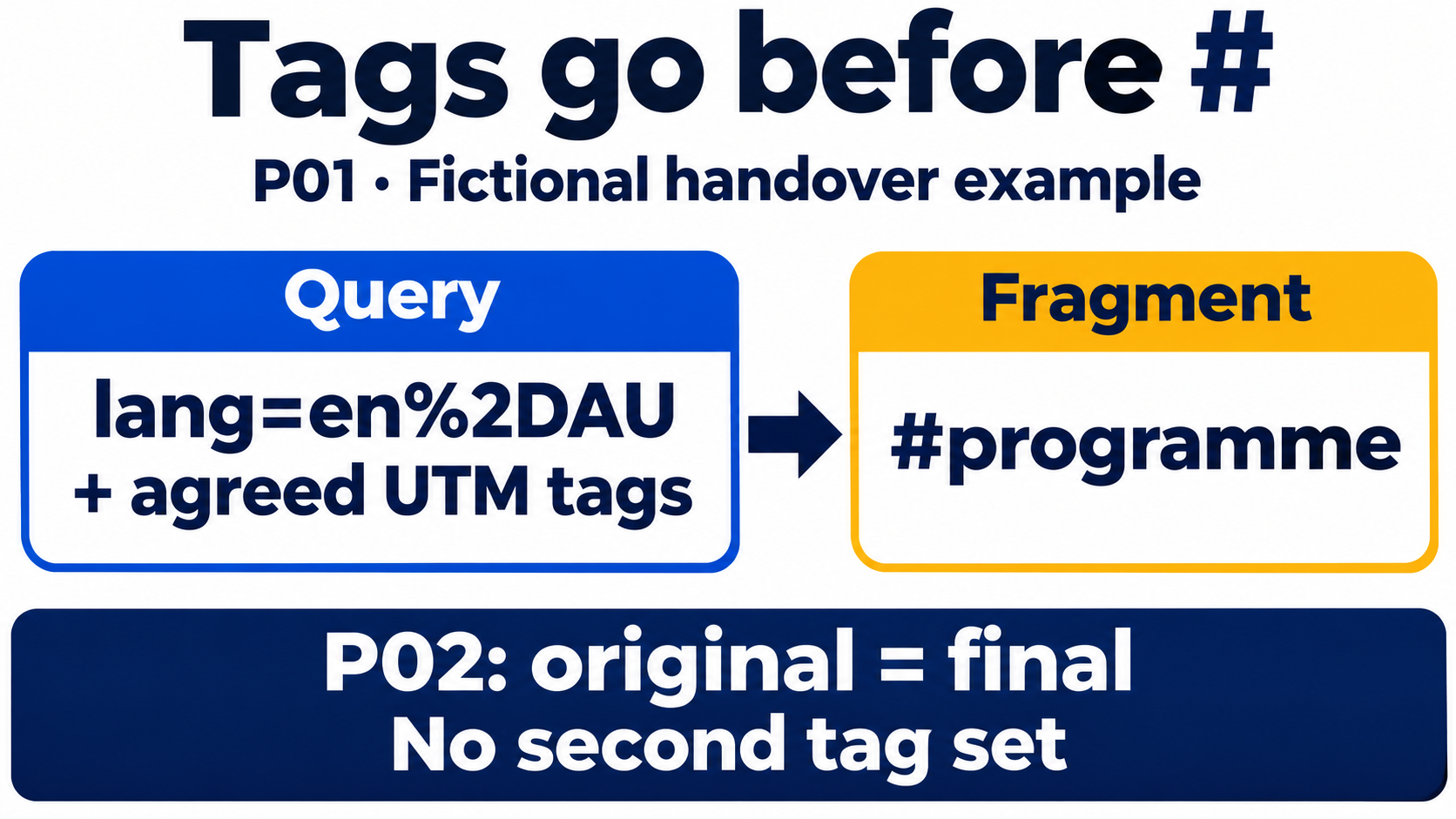
The column labels distinguish the query from the fragment. They also make the content check specific: a footer label would be wrong for P01 even if the other three values matched. A final link that only has the right campaign name is not enough to establish that the right placement values were carried over.
P01 becomes Prepared for handoff comparison in the worked file. That label means the proposed string matches this brief and the original components under BR01’s rules. It does not mean the landing page was opened, the email is approved to send, or a visit was attributed correctly.
P02: leave an already matching link unchanged
P02’s original destination already contains the four agreed values:
https://example.com/workshop/?lang=en%2DAU&utm_source=fern_newsletter&utm_medium=email&utm_campaign=studio_open_day&utm_content=footer_text#programme
Read it back against P02. Source, medium and campaign match; content is footer_text, which is the value for the footer placement. Each query key occurs once. The original unrelated query and fragment remain the agreed strings.
The proposed final URL is therefore the exact original string. Do not append a second set of tags merely because this row is passing through the worksheet. No change is an explicit result, not a skipped comparison.
P01 and P02 illustrate two different inputs: a link needing agreed values added and a link whose existing values already meet the same contract. The familiar idea of different content labels is not the new work by itself. The handoff needs to show which original was inspected, which placement it belongs to and what exact string the operator should receive.
In the component readback file, P01 and P02 are read from their proposed final URLs. Their content cells differ, while their source, medium, campaign, unrelated raw query and fragment match the corresponding agreement. Keep both placement rows; the shared destination does not make them duplicate work.
P03: hold a conflicting campaign rather than overwrite it
The partner listing arrives with this original destination:
https://example.com/workshop/?lang=en%2DAU&utm_campaign=studio_preview#programme
Its campaign is studio_preview, while P03’s BR01 value is studio_open_day. Neither matching the page path nor recognising the studio name resolves that disagreement. The old value might belong to another campaign, or the wrong original might have been supplied. This example does not assert which explanation is true.
Leave P03’s Proposed final URL cell blank. Preserve the original and ask Kit:
Does
studio_previewbelong to an earlier campaign, and which exact destination should this placement use?
Do not replace the old value without the answer. Do not leave the old one and append utm_campaign=studio_open_day as well. That would create a second key instead of settling which campaign the placement is meant to identify.
The result is Held: conflicting campaign value. No corrected P03 link is asserted in the worked files. When the owner supplies a decision, retain it with the original and compare the affected placement again under the agreed contract.
P04: a repeated key and fragment text need separate attention
P04’s original looks more complete, but it has two different structural questions:
https://example.com/workshop/?lang=en%2DAU&utm_campaign=studio_open_day&utm_campaign=studio_open_day#programme?utm_content=sidebar_text
Before #, the query contains utm_campaign twice. Both values happen to be studio_open_day. BR01 nevertheless holds repeated UTM keys instead of choosing the first, choosing the last or deleting one. That is this manual contract’s rule; it is not a claim about how every server or analytics product interprets repeated parameters.
After #, the fragment is programme?utm_content=sidebar_text. The utm_content text there does not supply P04’s query value. A search for utm_content=sidebar_text anywhere in the URL would miss that distinction.
The component readback therefore shows two campaign query values and an empty query-content field, while retaining the complete raw fragment. Empty query content does not mean the fragment text was removed. Both need to remain visible in the question to Kit:
Please supply a destination with one agreed campaign query value and confirm the intended fragment. The content text currently appears after
#, rather than as a query tag.
P04 stays Held: duplicate key and fragment text, with no proposed final URL. Moving the fragment’s text into the query automatically would invent a correction and assume what the anchor should be. Ask for the intended destination and repeat the comparison after the answer.
Hand over compared links and unresolved questions together
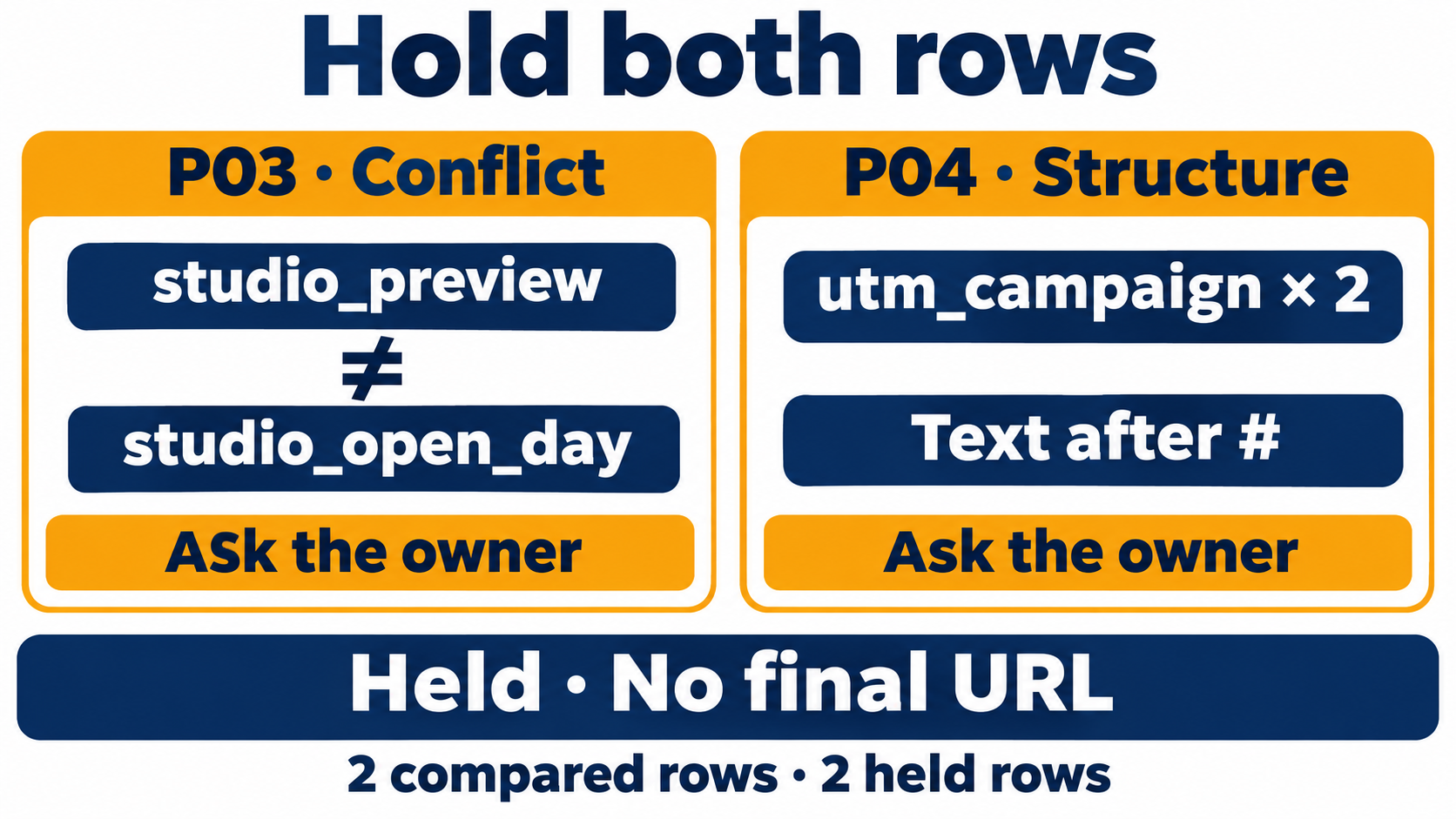
The four rows finish like this:
| Placement | Handoff result | What the next person receives |
|---|---|---|
| P01 | Prepared for handoff comparison | Proposed introduction link; four query values and original components compared |
| P02 | Unchanged: existing values match | Exact original footer link; no second set appended |
| P03 | Held: conflicting campaign value | Original URL and campaign question for Kit; no final link |
| P04 | Held: duplicate key and fragment text | Original URL and key/fragment question for Kit; no final link |
This is two compared rows and two held rows, not four cleared campaign links. Include the questions when handing over the file, so someone copying only the non-empty links does not mistake the held placements for work that was never requested.
BR01’s rules are deliberately narrow: retain an existing single exact value, append a missing agreed value, and hold a conflict or repeated UTM key. Preserve the original strings and do not silently lowercase values, reserialize the unrelated query or rewrite the fragment. The example uses literal ASCII tag values; it is not a general URL-encoding or repair tool.
Actual destination access, page/anchor behaviour, rewriting by the distribution tool and collection in Analytics require their own authorised checks. None happened here. A compared string also does not grant permission to send or publish the campaign.
Use the social content calendar guide for the separate job of checking the client account, exact approved version and local publishing time. The freelance project checklist helps place real delivery checks at the appropriate stage. Keep the outgoing destination link attached to its placement; the URL of a published social post is a different record.
If you are evaluating project tools, TASKUL’s English product page is available. This worksheet works independently and demonstrates no automatic campaign tagging, email sending or Analytics integration. Begin with one non-confidential campaign brief and make sure a colleague can explain both the proposed links and the rows still waiting for an answer.
Questions about campaign-link handoff
Should I replace existing UTM values with the new campaign’s values?
Not automatically. Under BR01, an existing exact agreed value remains unchanged, while a conflicting value holds the row for the owner’s decision. Retain the original URL and record the answer before preparing a replacement.
Is tag-like text after # counted as a query parameter?
Not in this example. P04’s utm_content text is inside its fragment, while the query-content value is absent. Keep the original fragment and ask what destination was intended instead of silently moving the text.
Do four matching values prove the campaign is tracked correctly?
No. They show only the compared fields in this fictional handoff. The owner must determine other relevant parameters and configuration, and the real destination, distribution and collection need their own checks. No traffic, channel result or effectiveness was measured here.