

Asana alternatives become worth considering when the next person needs access, a project needs a proper timeline, or the AI allowance does not match the work you want it to do. Those are different buying decisions. Start with the restriction that interrupted your work. Otherwise, you can spend a week moving projects and discover that the replacement charges for exactly the same thing.
TASKUL publishes this guide, and TASKUL is our product. It is included as an option for freelancers turning client messages into project tasks. The recommendations below also cover staying with Asana, choosing another hosted tool, and running an open-source tool yourself.
How we checked the facts
The vendor facts below were checked on 29 September 2026 against the vendors’ own pricing pages, documentation and repositories. This is a comparison of those published terms, not a claim that we tested every product or its import process. Links sit beside the relevant facts so you can check the current terms before committing.
Currency needs care when you are buying from Australia. Asana’s pricing page identifies USD in its structured data, and Trello explicitly labels its prices USD. Any dollar amounts quoted here are US dollars, not Australian dollars. We do not quote ClickUp amounts because its pricing page does not label the currency. Notion and monday.com showed Japanese yen when we checked (these pages change currency by location), so their prices are omitted too. No currency conversion has been estimated.
Which Asana limit is actually stopping you?
Personal works until another person needs access
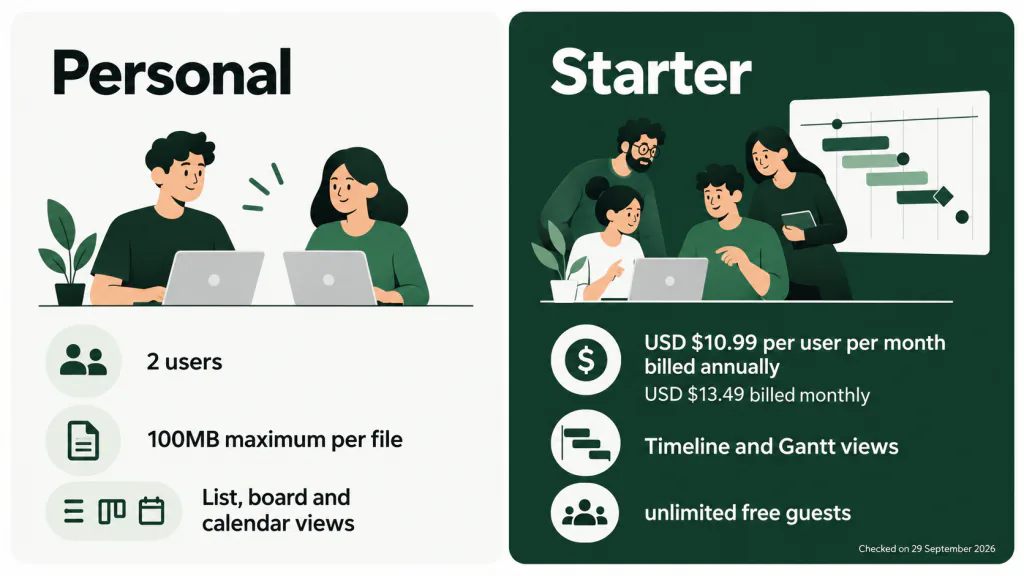
Asana Personal, checked on 29 September 2026, allows 2 users, unlimited tasks and projects, and List, board and calendar views. Storage is unlimited with a 100MB maximum per file. These are the terms on Asana’s pricing page. If you are working alone and need to see deadlines by date, that capability is already there.
Before moving, write down who actually needs to work inside the tool. A collaborator who owns tasks has a different need from a client who only wants a progress update. Do not make a new account the default answer to every communication problem. Equally, do not keep a working colleague outside the system just to preserve a free arrangement. That creates a second task list for you to maintain.
Starter buys scheduling views and room to collaborate
Checked on 29 September 2026, Asana Starter costs USD $10.99 per user per month billed annually, or USD $13.49 billed monthly. It adds Timeline and Gantt views, unlimited automations, intake forms and unlimited free guests. The annual figure is a monthly equivalent under annual billing, not the monthly billing rate.
Paying can be the sensible decision if your current projects are well organised and the missing scheduling view is the only obstacle. Put the upgrade beside the time needed to recreate your working setup. Moving to another product with a paid timeline would leave you with both a subscription decision and a migration.
For a growing studio, examine the per-user charge at the size you expect to operate. Separate staff who need regular access from clients who might qualify for guest access, and check the vendor’s current guest conditions. Do not assume everyone can be treated as a guest. If your concern is the cost of adding working team members, an alternative needs to solve that specific problem.
The AI allowance is separate from unlimited automation
Checked on 29 September 2026, Starter includes 5 AI Teammates and Asana Dash requests per user per month, up to 50 requests per account. Additional requests cost USD $0.50 each through prepaid usage packs, valid for the billing cycle, or USD $0.60 each on demand, billed monthly in arrears. Starter’s AI Studio allowance is separate: 50K credits per billing account per month. AI is not listed on Personal.
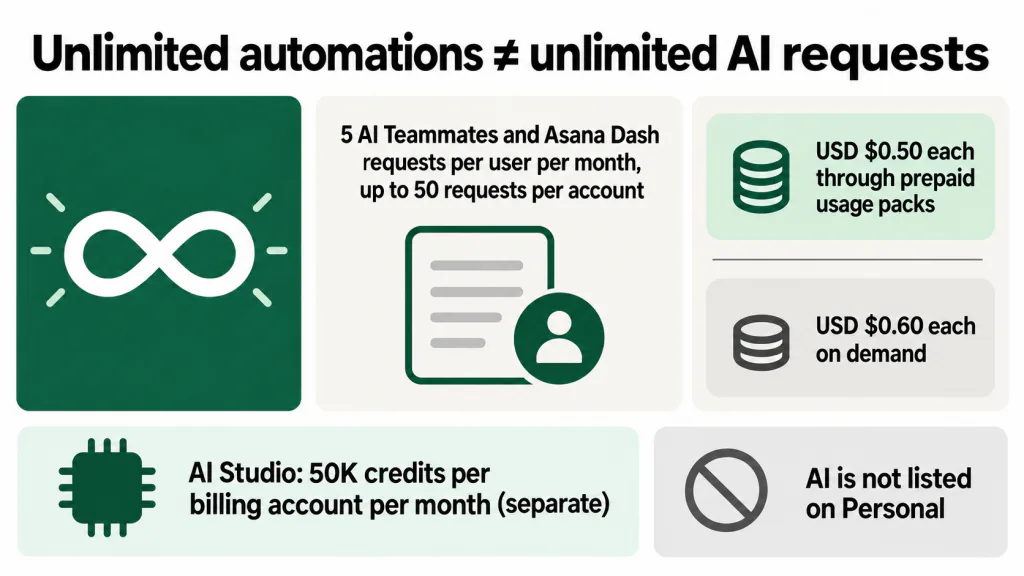
Unlimited automations do not mean unlimited AI requests. Nor should you treat the AI Studio credits as an extra pool of Teammates or Dash requests. Decide which action you want the AI to perform, then identify its allowance. If you cannot connect the allowance to a real task in your week, the word “AI” is not a useful basis for choosing software.
If AI is the main reason you are leaving, compare the work it can do and the usage restrictions together. Our guide to AI project management tools helps frame that decision. A move is worth testing when the replacement handles the client work you actually have, within terms you can accept. A different AI badge alone proves neither.
Free Asana alternatives and the limits you inherit
The free-plan facts in this table were checked on 29 September 2026. The final column is our editorial assessment of fit. A calendar, a view-only planner and a Gantt trial are different things; do not treat them as interchangeable scheduling features.
| Tool | Free plan limits and views | Who it suits |
|---|---|---|
| Trello | Up to 10 collaborators and 10 boards per Workspace; unlimited cards; unlimited storage with a 10MB limit per file; 250 Workspace command runs per month. Free includes a view-only Planner. The board Calendar view is on Premium. | A freelancer or small studio that wants to organise work on boards and can work within the collaborator, board and file limits. Check the date workflow before replacing Asana’s calendar. |
| ClickUp | Unlimited tasks and Free Plan Members; 60MB storage in total; 5 Spaces and 40 lists per Space. Calendar View and Kanban Boards are included. Gantt, Timeline, Dashboards and Custom Fields are trials. Automations allow 5 active rules and 100 executions. AI access is limited, with trial access to advanced AI features. | A studio whose immediate problem is Asana’s user cap, provided its file storage needs fit. It is not a permanent free Gantt solution on these published terms. |
| Notion | Unlimited pages and blocks for individuals, limited for 2 or more members; uploads up to 5MB; 7-day page history; 10 external guests. AI is a limited trial. Calendar is a database layout based on a Date property. | A solo freelancer who wants to organise work in pages and databases, and is willing to set up the structure. Recheck the block allowance before adding another member. |
| monday.com | Up to 2 seats, 3 boards and 3 Docs, with 8 column types. AI is not included on Free. | A compact personal setup that fits those limits. It does not solve a move prompted by needing more people than Asana Personal permits. |
Notion’s view documentation explains how its calendar displays items using their Date property. That is the relevant check if dates are central to your setup: can you put the right work on the calendar and keep it accurate?
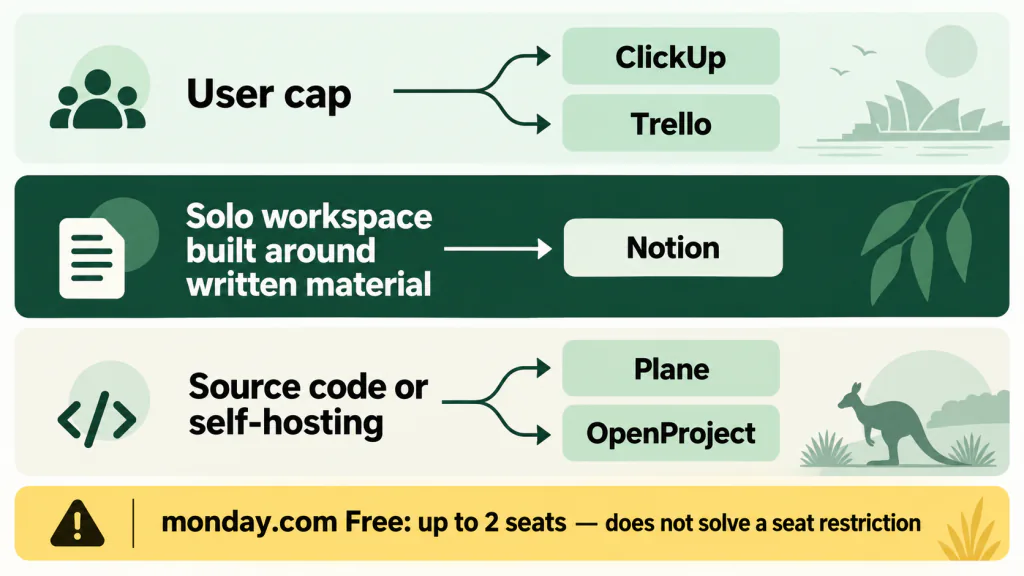
Our first shortlist for a user-cap problem would be ClickUp and Trello, subject to the limits above. For a solo workspace built around written material, we would test Notion. We would not choose monday.com’s free offering to escape Asana’s seat restriction. That would reproduce the reason for leaving.
Also distinguish storage per file from storage across the account. A generous task allowance does not tell you whether the workspace can hold your working assets. Decide whether files need to live in the task tool or whether tasks can point to an existing file store. Test that arrangement with the people who need access.
If Trello makes the shortlist, use our Trello alternatives guide to consider the board-based workflow, while using the dated facts above for this comparison. The decision here is what you would lose or gain by leaving Asana, especially if you already rely on its date views.
For personal use, keep the decision small
When you are choosing for yourself, team capacity is a distraction until you actually need it. Start with how you find today’s work. Can you tell what is due, what is waiting for a client, and what you can act on now? Can you record a new request without reorganising the whole workspace?
Asana Personal’s user allowance does not force a solo freelancer to leave. If your difficulty is keeping the task list current, first try a simpler routine in the tool you already know. Record the next action when you read the message. Review the due date when the client changes the brief. A new workspace cannot decide those things for you.
Consider moving when the way you want to work is different. You might prefer working through cards, or keeping project notes beside a database of commitments. Test that preference with current work. Do not choose on the strength of a template that looks tidy before any client has changed their mind.
For personal use, we would favour a tool you will update over a tool with more configuration options. Include retrieval in the test: find an old decision, identify a waiting task, and locate the next deadline without searching your messages again. If the real problem is requests scattered across clients, start with the working routine in juggling multiple clients as a freelancer.
Open-source Asana alternatives on GitHub
If you are searching for an “Asana alternative GitHub”, clarify whether you want access to the code, control of the hosting, or both. A repository is useful evidence about the software. It is not evidence that your studio has the time to operate it.
Plane offers a hosted starting point and self-hosting
Checked on 29 September 2026, Plane’s cloud Free offering has a 12-user limit, and Plane also has a self-hosted option. Its GitHub repository identifies the licence as GNU Affero General Public License v3.0, or AGPL-3.0. The cloud seat limit describes the cloud offering; do not treat it as a statement about every deployment.
We would put Plane on the shortlist when access to source code or the option to run your own installation is a firm requirement. Write down the Asana behaviours you need to retain, then verify them in the version you intend to use. Open source does not by itself establish feature parity.
OpenProject has a free Community option
Checked on 29 September 2026, OpenProject lists Community as free, with no minimum users. Its repository identifies the licence as GNU GPL v3. Read the terms for the edition you are considering rather than carrying an assumption from a different offering.
We would assess OpenProject alongside Plane when running the software yourself is part of the brief. Give each candidate the same project and the same acceptance checks. A licence label cannot tell you whether a collaborator can follow your handover or whether you can maintain the installation.
Self-hosting creates work someone must own
Self-hosting means running the server, updates and backups yourself. Before choosing it, name the person responsible for that work and for restoring the service if something goes wrong. If that person is you, the maintenance competes with client delivery.
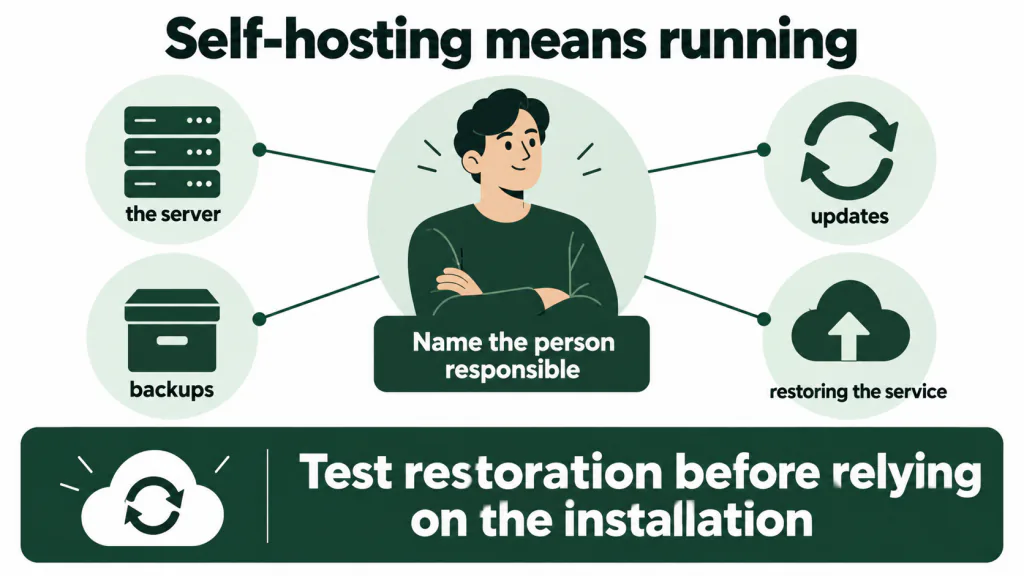
Ask what happens when an update fails during a deadline, how a backup will be restored, and who can take over while you are unavailable. Test restoration before relying on the installation. Free software does not remove hosting costs or the value of maintenance time. For a studio without someone willing to own that responsibility, a hosted tool is our preferred starting point.
How to use Reddit recommendations
If you searched for “Asana alternatives Reddit”, you may be looking for the frustrations missing from a pricing table. We have not surveyed Reddit threads for this guide and do not claim a community consensus.
Use any discussion you read to generate test questions. Does the writer work alone or with a team? Which edition did they use, and when? Were they leaving because of cost, complexity or a missing function? A detailed complaint can identify something to investigate. It cannot establish today’s limits. Check the vendor terms, then try the disputed workflow yourself.
Where our product fits
TASKUL is our product. It keeps clients, projects and tasks together. You can paste a client brief, email, chat thread or call notes, and its AI writes tasks and due dates. It also turns scattered messages into a scope list, points to watch and the client’s brand rules, and notices when the client adds something or changes their mind.
We would consider it when the work of interpreting client messages and keeping a project current is the reason you are shopping. Review generated tasks and dates against the brief before relying on them. We would not recommend it on this evidence for someone whose only requirement is a replacement Gantt view, or whose essential requirement is self-hosting. The capabilities described here do not establish either fit. If you like Asana and only need a scheduling upgrade, assess that upgrade first.
What may not survive a move from Asana
Do not use a successful task count as proof of a successful migration. The important question is whether you can carry on working without returning to the old workspace to understand what happened. These are the checks to make, regardless of the destination or transfer method.
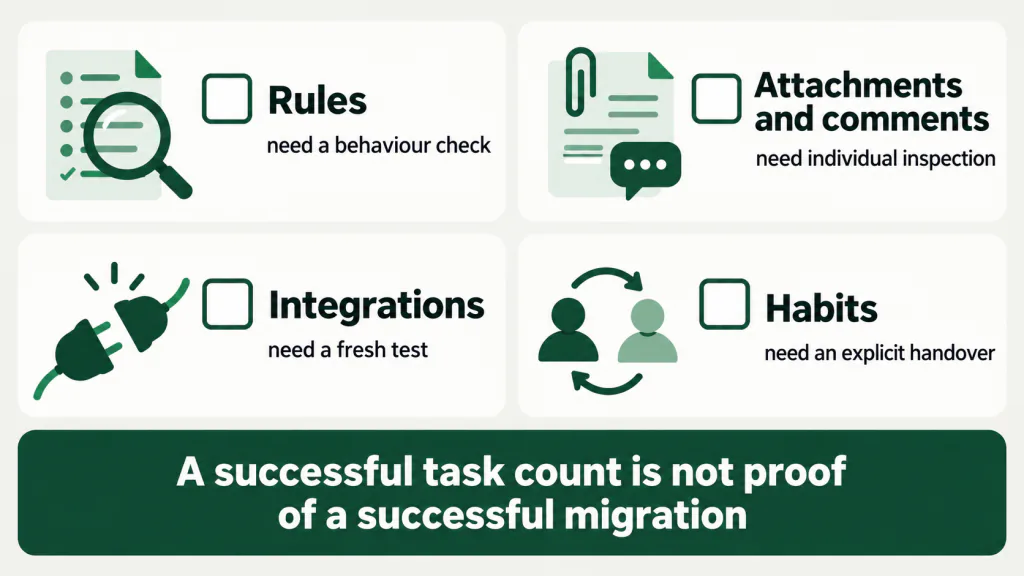
- Rules need a behaviour check. Record each trigger and the action you expect in plain English. Verify that behaviour in the destination. Allow for rebuilding rules rather than assuming their settings will transfer.
- Attachments and comments need individual inspection. Check that files open, the right people can access them, and important decisions remain understandable. A task title arriving correctly tells you nothing about its discussion history. Keep a retrievable record of anything the transfer does not preserve.
- Integrations need a fresh test. List the connections you actually use and confirm that the destination supports your required workflow. Recheck permissions and trigger a real event. The presence of a familiar service name is not enough.
- Habits need an explicit handover. Agree where new requests go, who changes due dates, and where people report completion. Give collaborators a clear changeover point so active work does not split between competing lists.
Use a current project with meaningful history for the test. Keep the original accessible until you have checked the result. This guide makes no claim that any particular importer preserves Asana’s rules, files, comments or integrations.
What to do this week
- Name the reason for leaving. Write the action you cannot complete and who needs to complete it. Distinguish a user limit, a scheduling requirement, AI usage and a hosting requirement.
- Compare staying with a targeted shortlist. Include the relevant Asana upgrade if it resolves the problem. Reject alternatives that reproduce your current restriction, even if the rest of their feature list looks appealing.
- Write your acceptance checks. Use the move checklist below. Pick checks that reflect live client work, including the awkward parts such as retrieving an old decision or changing a deadline.
- Run a real project through the candidate. Check task ownership, dates, files, comments and essential connections. If a colleague will use it, have them perform the handover rather than watching you demonstrate it.
- Choose a changeover point only after the checks pass. Recheck current vendor terms. Record where retained history lives and tell collaborators which workspace holds active work.
Your Asana move checklist
Copy these prompts into a working note and fill them in before moving the rest of your projects:
- Reason to move: We need to complete this action, with these people, and our current setup prevents it.
- Candidate and terms: This edition supports the requirement; we checked its current limits and billing currency on this date.
- Project test: These tasks, deadlines, files and decisions must remain usable after the move.
- Manual work: These rules and connections need rebuilding; this person will verify them.
- History and handover: Retained records live here, and active work moves to the new workspace at this point.
- Decision: Stay, move, or resolve this specific failed check before proceeding.