A creative brief template is most useful when the client fills it in, not you. The free template below is a two-part questionnaire you send before you quote: 15 plain-English questions the client answers in their own words, and a short section you add afterwards with your questions and assumptions. It comes as a blank Word file, a filled-in example (a fictional café) and a plain-text copy you can paste into Google Docs or an email.
Most creative brief templates online are written for the person ordering the work: a marketing team briefing its designers, or a company briefing an agency. This one is for the other side of the job. If you are a freelance designer, web designer, video maker or writer in Australia, it is the form you hand a small business owner so that the details you need to quote and plan arrive before the work starts.
Download the creative brief template
All three files are free and need no sign-up:
- Blank creative brief template (Word, A4). Replace the words in square brackets with your business name, email and a send-back date, then delete the first line.
- Filled-in example (Word, A4). A fictional café reopening, answered the way a real client might answer it, including the part you add at the end.
- Plain-text version. The same questions without formatting, for pasting into a Google Doc, an email or your own form tool.
The example is made up. The café, people, dates, links and amounts in it do not belong to a real business. The quotes from other templates and from the ATO below were checked against their pages on 12 October 2026.
What is in the creative brief template?
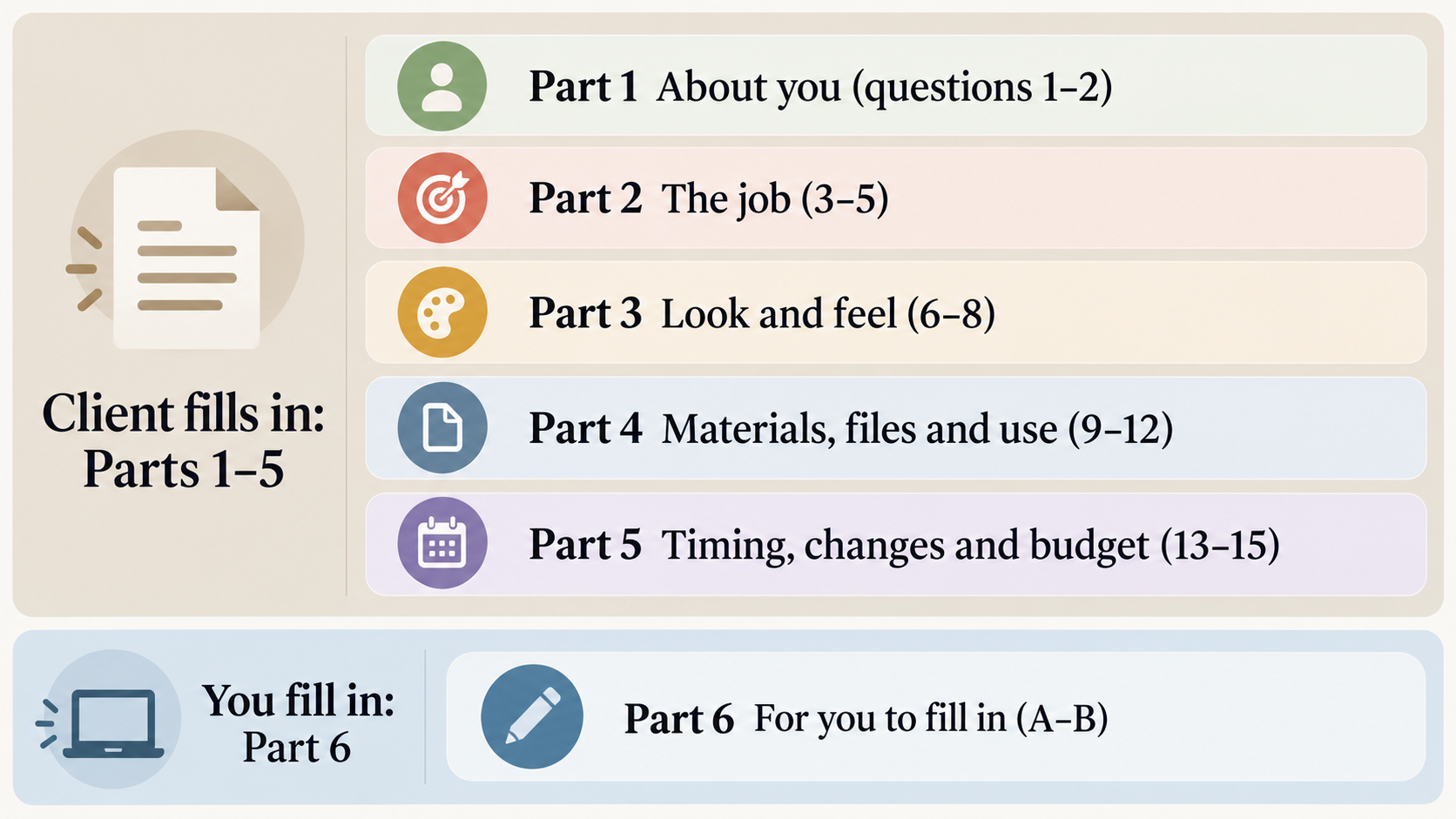
The template has six parts. The client answers the first five; you fill in the sixth after you have read their answers.
- About you (questions 1–2): who you deal with day to day, and who gives the final OK.
- The job (questions 3–5): what to make, who it is for, and what people should do after they see it.
- Look and feel (questions 6–8): what already exists, examples they like and dislike, and what must be included or avoided.
- Materials, files and use (questions 9–12): who supplies what by when, where the work will be used, which files they need at the end, and how widely they will use it.
- Timing, changes and budget (questions 13–15): key dates and whether they can move, rounds of changes, and an optional budget range.
- For you to fill in (A–B): the questions you still have with your working assumptions, and what is included and not included.
Every question has a one-line tip under it that tells the client why you are asking. That line does most of the work. A client who knows that question 11 can change the quote answers it properly instead of skipping it.
Why should the client fill in the brief, not you?
The usual definition puts the brief on the client’s side. Wikipedia describes a creative brief as a document that is usually developed by the requestor (typically by a marketing team member) and approved by the creative team
(Wikipedia: Creative brief). Small clients do not have a marketing team member. Without a form, the brief you get is a phone call, a few messages and a screenshot of a competitor’s website.
Asking the client to write it is normal practice. Miro’s template page says Freelancers may also ask their clients to prepare a creative brief
(Miro: Creative brief template). Dribbble’s design brief template is meant to be filled out with your client or designer before you start your next design project
(Dribbble: Design brief template).
The difference with this template is the wording. Many templates ask for a key message
, target audience
or mandatories
. A café owner or a tradie can answer those, but only after you translate them. So each question here is phrased the way you would ask it across the counter: Who is it for? What should people do after they see it? Anything that must be included, or must be avoided?
It also keeps the brief short. Miro notes that Most creative briefs are a maximum of two pages long.
Fifteen questions fit a client’s attention span; thirty do not.
What do the 15 questions ask, and why?
Here is each part with the reason behind the questions, so you can decide what to keep, cut or reword for your own work.
Part 1: About you
1. Your business name, and who should we contact day to day? You need one person to send drafts and questions to. If it is the office manager rather than the owner, you want to know before the first draft goes out.
2. Who gives the final OK? Few of the templates we read ask it, yet it decides how long the job takes. One decision-maker can approve in a day. A business partner who only sees the draft at the end can undo two rounds of work. The template asks for one name and a list of anyone else who sees drafts, so you can allow time for their feedback. Our guide to turning a client brief into a project plan explains why this is the first gap to close.
Part 2: The job
3. What do you need us to make? A list, not a description. Logo, business cards, 6 Instagram posts gives you something to count and price.
4. Who is it for? The tip asks clients to describe their customers the way you’d describe them to a friend
. You get “locals on their way to work and weekend walkers from the beach track” instead of “everyone”.
5. What should people do after they see it? One action: visit, call, book, buy or sign up. This becomes your test for whether the design is working, and gives you something firmer than “I’ll know it when I see it” when you present drafts.
Part 3: Look and feel
6. What do you already have? Logo files, colours, fonts, photos, website, wording, and whether to keep, update or replace each. A logo that only exists as a small JPG is a different job from one with an original file.
7. Examples you like, and ones you don’t. Two or three links of each, with a few words on why. The tip says “It feels calm and simple” helps more than “I like it”.
The dislikes can tell you as much as the likes.
8. Anything that must be included, or must be avoided? Licence numbers, opening hours, a slogan, a colour the owner hates. These are cheap to know now and expensive to discover at the second round.
Part 4: Materials, files and use
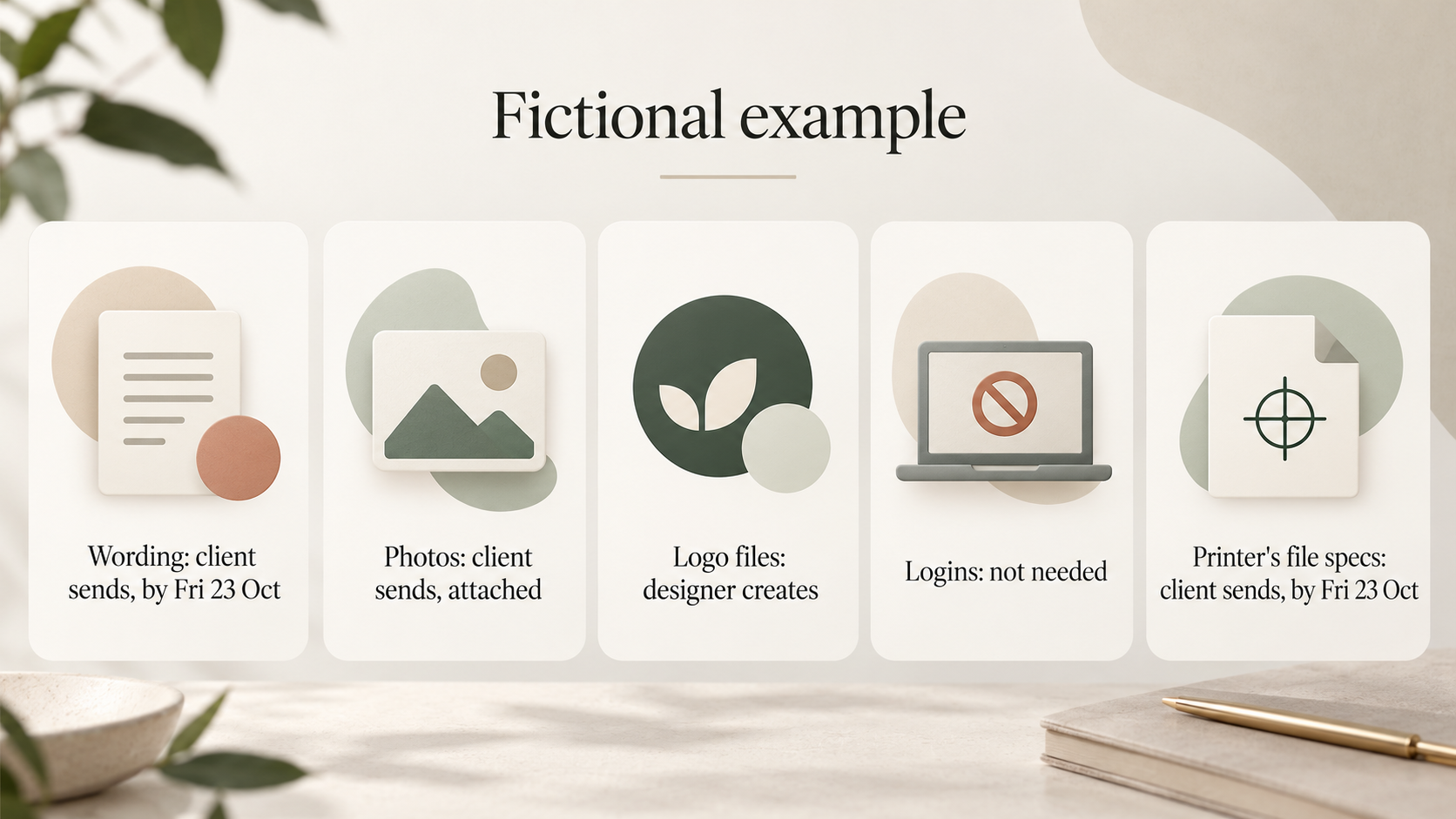
9. Who supplies what, and by when? A small table: wording, photos, logo files, logins and anything else, each marked “you send” or “we create”, with a date. Late wording or photos can hold up a whole job, and this question puts a date on them before you agree to yours.
10. Where will it be used? A5 flyer, shop window, Instagram stories, an A-frame sign. This sets the sizes and file types you deliver.
11. Which files do you need at the end? Ready-to-use files (PDF, PNG, JPG) or editable files too. The tip warns that editable files can affect the quote
, which is fair warning for both of you. Our freelance project checklist covers how to agree on source files before work starts.
12. How widely, and for how long, will you use it? “One shop, for the next year” or “all our locations, plus paid ads”. The answer affects which stock photos and fonts you can use. It also tells you what to say about usage rights in your proposal. The Australian Graphic Design Association’s proposal template has separate sections for licensing and intellectual property, and advises: Specify IP terms, such as whether the design’s copyright will transfer to the client upon completion and what usage rights they will have.
(AGDA Pitching Template, PDF). This guide does not explain copyright law; the question simply makes sure you have the facts to write those sections.
Part 5: Timing, changes and budget
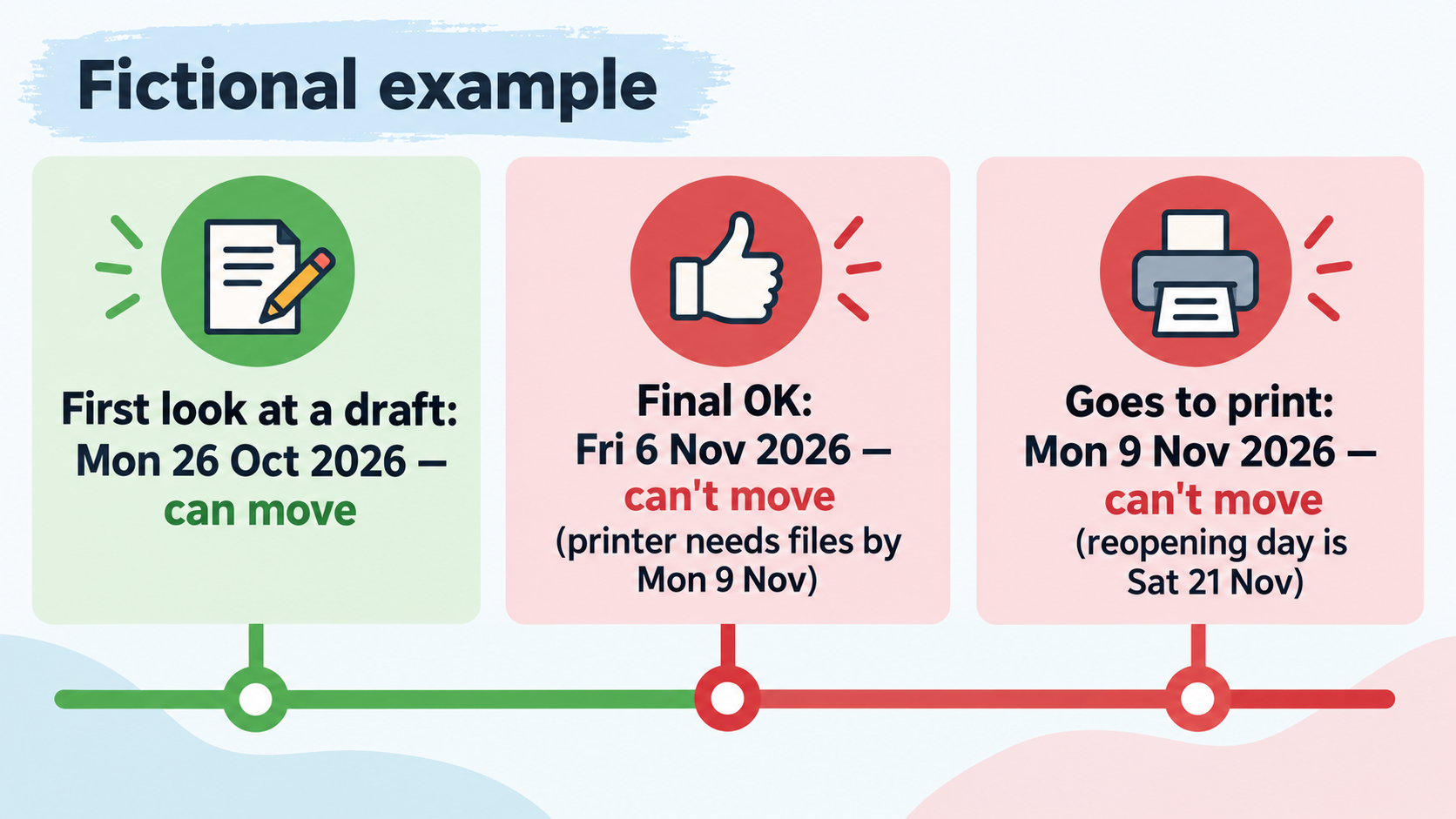
13. Key dates, and what’s happening on them. Three dates (first look at a draft, final OK, goes live or goes to print), each with a reason and a “can it move?” box. A date tied to an opening or a printer’s deadline will not move. A date someone picked because it sounded reasonable usually can.
14. How many rounds of changes do you expect? The tip defines a round as everyone’s feedback, collected and sent in one go
. Many clients do not think about rounds until the changes keep coming. Asking now lets you confirm the number in your quote. Our guide to stopping scope creep covers what to do when the job grows anyway.
15. Budget range (optional). A rough “from–to” in Australian dollars, plus three boxes: include GST, exclude GST, not sure. GST is a broad-based tax of 10% on most goods, services and other items sold or consumed in Australia
(ATO: How GST works), so a client who says $3,000 may mean $3,000 or $3,300 in total. The box settles which. The question is optional because some clients will not name a figure; the tip explains that a range helps you suggest options that fit.
How do you send it so the client fills it in?
- Send it after the first conversation, before you quote. The client has just told you what they want and is still keen. A brief sent with the quote arrives too late to shape it.
- Give a send-back date. The template has a “Please send back by” line at the top and repeats it at the end. Three to five working days is a reasonable ask for most small jobs.
- Pick the format the client already uses. Send the Word file to clients who work in Word, and paste the plain-text version into a Google Doc or the body of an email for everyone else. A form they cannot open does not get filled in.
- Offer a short call as the fallback. The template ends with If it’s easier, we can go through it together on a short call. Some owners talk more easily than they write. Fill it in as they speak, then send it back for them to check.
- Cut what does not apply. A copywriting job does not need question 11 about editable design files. Deleting a question is better than a client writing “n/a” five times and losing patience.
What should you do when the brief comes back?
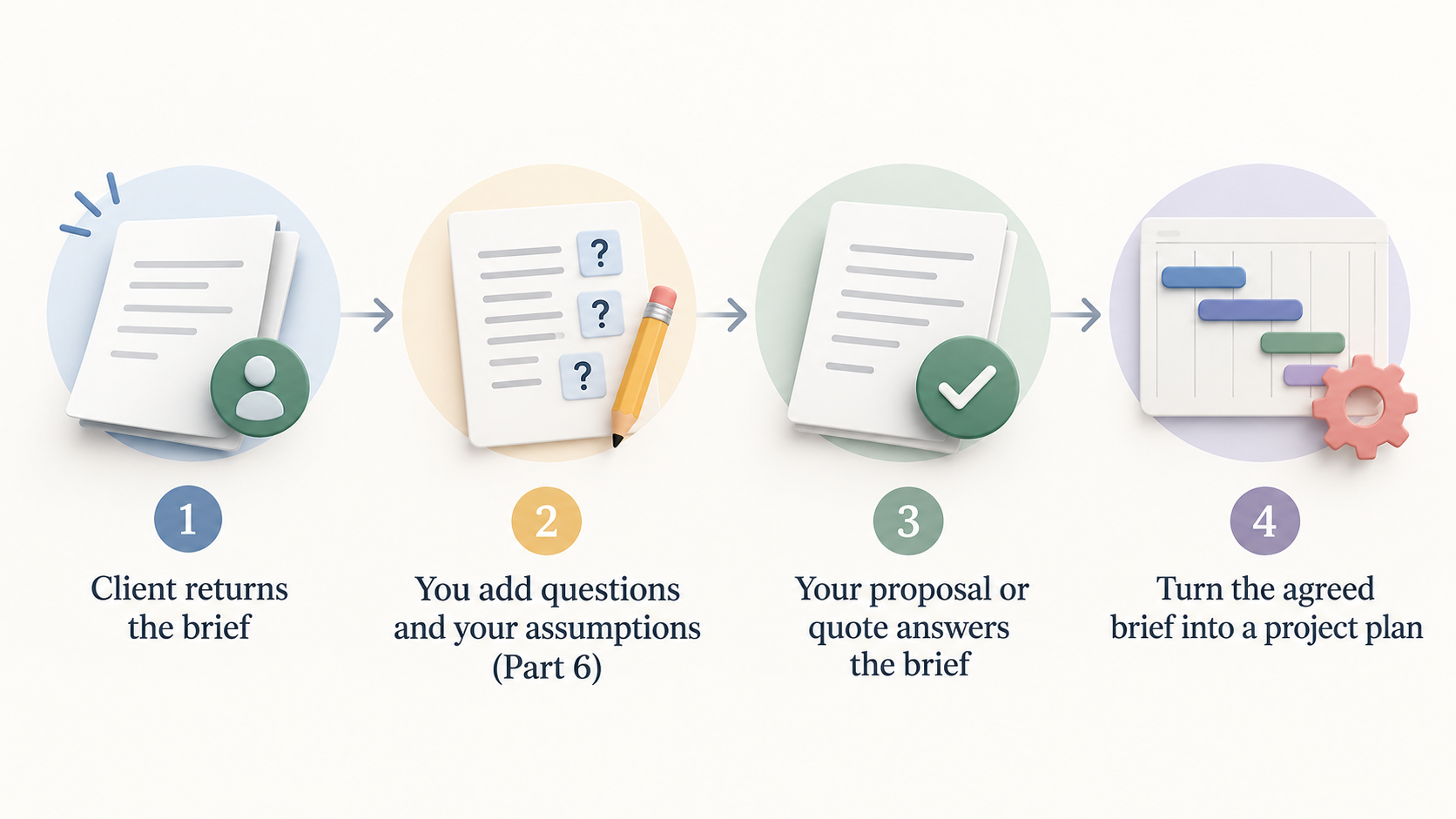
Do not start work straight from the client’s answers. Fill in Part 6 first.
A. Questions we still have, and what we’ll assume until you reply. Every brief comes back with gaps. For each one, write the question and the answer you will work to if the client does not reply. “Is the coffee cup stamp part of this job? We’ll assume no.” A written assumption gives the client something to correct, and if they never reply you have a record of what was agreed.
B. Included, and not included. Rounds of changes per item, and the things you will not do: printing, photography, website changes. This is the line clients read most closely, so keep it specific.
Then answer the brief. AGDA describes its proposal template as a basis for responding to a client’s brief, request for quotation or request for proposal
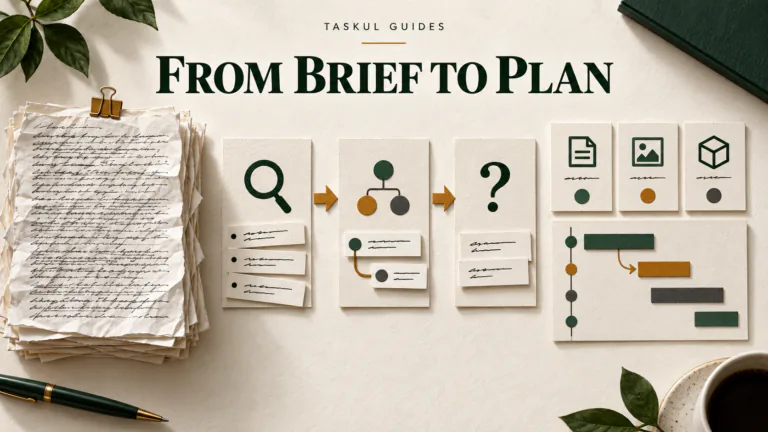
. The order is: the client’s brief, then your questions and assumptions, then your proposal or quote, then the plan. Our freelance quote guide for Australia covers the quote itself. Once the client agrees, the brief becomes the source for your task list and dates, as set out in client brief to project plan.
This is also where a project tool earns its place. TASKUL, which publishes this guide, is our product: you can paste in a screenshot of the returned brief, and its AI turns it into a project with tasks and due dates for you to review. A spreadsheet or a paper list works too. What matters is that the dates and supplies from questions 9 and 13 end up somewhere you check every day, not only in the client’s email.
A filled-in example: a café reopening (fictional)
The example file shows how a small business owner might answer. Everything in it is made up. Here are the answers that changed the job:
- The job: a refreshed logo, an A4 double-sided menu, an A2 window poster and six Instagram posts for a reopening week.
- Final OK: the owner, with a co-owner who sees drafts for menu prices only. One decision-maker, one limited reviewer.
- What they already have: the old logo as a JPG only, with no original file. The logo has to be redrawn, not tidied.
- Files at the end: ready-to-use and editable, with a note that they want to change menu prices themselves. That means delivering the menu in a format the owner can edit, which you need to price.
- Dates: first look on Mon 26 Oct 2026 (can move), final OK on Fri 6 Nov 2026 (cannot move, because the printer needs files by Mon 9 Nov) and print on Mon 9 Nov 2026 (cannot move, because reopening day is Sat 21 Nov).
- Budget: AUD $2,500 to $3,500, excluding GST.
In Part 6 the designer recorded two assumptions (the coffee cup stamp is not included; if the fit-out photos are too dark, stock photos will be suggested and any extra cost confirmed first) and listed what is not included: printing costs, the coffee cup stamp, photography and website changes. With those answers, the quote can be written without another round of messages.
Creative brief template FAQ
How long should a creative brief be?
Short enough for the client to finish. Miro puts it at a maximum of two pages
for most briefs (Miro: Creative brief template). That is why this template stops at 15 questions.
Who writes the creative brief, the client or the designer?
Traditionally the person ordering the work writes it and the creative team approves it. When your client is a small business, the practical answer is both: they answer the questions, and you add Part 6 before quoting.
Is a design brief the same as a creative brief?
For a freelance job, they cover the same ground: what to make, for whom, by when and with what. “Design brief” is also used for school assignments and building projects, which is one reason this template uses “creative brief”.
Can I use the template in Google Docs?
Yes. Paste the plain-text version into a new Google Doc and share it with the client, or open the Word file in whichever editor you use. The questions are the same in all three files.
Can I change the questions?
Yes. Add questions for your field (a video job might ask about locations and talent) and remove those that do not apply. Keep the tip line under each new question, so the client knows why you are asking.