
The best AI project management tool is the one that removes a recurring piece of admin without leaving you a second job checking its work. Start with the task you want it to do, then check where the output goes and how usage is charged. TASKUL publishes this guide. TASKUL is our product: an AI-first task tool whose AI runs on monthly credits.
Vendor information checked on 29 September 2026. This comparison uses the vendors’ published pages, not a hands-on performance ranking. Asana and Trello amounts below are in US dollars, not Australian dollars. We have omitted amounts for ClickUp, Notion and monday.com because ClickUp’s page does not label its currency and the Notion and monday.com pages showed Japanese yen when we checked (these pages change currency by location). Check the linked pages before committing.
Which tool belongs on your shortlist?
My recommendation is to test AI in your existing project tool first. Moving client work has its own cost: rebuilding the project structure, checking permissions and teaching collaborators where things live. A better writing assistant alone would not persuade me to move.
- For work organised around boards: consider Trello’s AI capture, summaries and board generation.
- For building repeatable workflows: consider Asana’s AI Studio, alongside its separate AI Teammates and Dash allowance.
- For AI across chat, tasks and documents: examine ClickUp’s add-ons and the usage rules for the specific features you need.
- For briefs and meeting notes kept in documents: consider Notion’s document generation, database autofill and meeting notes.
- For repetitive work within boards: examine monday.com’s AI columns and the credits they use.
- For turning incoming client material into tasks: include TASKUL in the comparison, then apply the same checks you use for the other tools.
These are starting points based on the published capabilities. They are not claims that a tool will handle your brief accurately. The best AI task management app for your studio still has to pass a test using the kind of work you actually receive.
AI features, charges and free access compared
Comparison checked on 29 September 2026. A free task manager does not necessarily include ongoing AI use. A limited AI trial is also different from a recurring allowance. The descriptions below follow the vendors’ published feature wording; they do not establish accuracy or suitability for your work.
| Tool | What its AI does | How AI is charged | Is AI on the free plan? |
|---|---|---|---|
| Asana | Dash routes work to AI Teammates and surfaces what is next. AI Studio builds workflows with embedded AI agents. | Starter includes 5 Teammates and Dash requests per user per month, up to 50 per account, plus 50K AI Studio credits per billing account per month. Extra requests cost US$0.50 prepaid or US$0.60 on demand. | AI is not listed on Personal. |
| Trello | Quick Capture powered by AI, AI summarisation, AI organisation and AI-generated boards. | Included from Standard: US$5 per user per month billed annually, or US$6 billed monthly. | No. These AI features start at Standard. |
| ClickUp | AI across chat, tasks and docs. Paid feature lists include AI writing, workspace search, notetaking and AI automations, depending on the add-on. | Separate per-user monthly Brain AI and Everything AI add-ons. Monthly AI Super Credits also cover usage such as agents and automations. | Limited access: the page says “Try AI across chat, tasks and docs” and “Trial access to advanced AI features”. |
| Notion | Generate and edit docs, autofill databases and produce meeting transcripts and summaries. | Business lists Notion Agent and AI Meeting Notes within its per-member subscription. Custom Agents require Notion credits. | Notion Agent and meeting notes are marked “Limited Trial”. |
| monday.com | Sidekick is a context-aware assistant. AI columns run repetitive work within boards; an AI meeting notetaker is also listed, with availability depending on the tier. | AI credits alongside seat-based subscriptions. The page offers additional credits and says usage reflects task complexity. | No. The page says “Available from Basic”. |
| TASKUL — our product | Turns pasted briefs, emails, chat threads and call notes into tasks and due dates. Notices when the client adds something or changes their mind. | The AI runs on monthly credits. | The English product page lists a monthly AI credit allowance on each of its paid plans. |
What to check with each tool
Asana: separate requests from workflow credits
Asana has different AI meters. Treat Teammates and Dash requests separately from AI Studio credits. A larger credit allowance does not mean more requests for every AI feature.
Checked on 29 September 2026, Starter costs US$10.99 per user per month billed annually, or US$13.49 billed monthly. Its included requests and Studio credits are shown in the table. Prepaid extra requests are valid for the billing cycle; on-demand requests are billed monthly in arrears. Do not read the account request cap as an allowance automatically available to a solo user.
I would shortlist Asana when there is a repeatable workflow to design. Write down its trigger, the information it needs and the action it should take. Then establish which AI feature performs it and which meter applies. If you only need an occasional summary, decide whether that alone warrants changing your subscription.
Trello: distinguish AI capture from ordinary capture
Trello Free includes Inbox and Quick capture. That does not make Quick Capture powered by AI free. The AI capabilities in the comparison start at Standard, checked on 29 September 2026.
There is a similar distinction with calendars. Free includes a view-only Planner; full Planner access starts at Standard. The board Calendar view starts at Premium. Choose the view you need before treating the AI upgrade as the whole cost of the decision.
I would test whether a generated board reflects how you deliver work, rather than merely producing plausible column names. Check the cards against the brief and remove work the client did not request. If the underlying board setup already frustrates you, use our Trello alternatives guide to assess the project tool as well as its AI.
ClickUp: an add-on can still have usage limits
ClickUp lists Brain AI and Everything AI as separate per-user monthly add-ons. Its pricing page also describes monthly AI Super Credits shared across the Workspace, with usage varying by complexity. A per-user subscription and a usage meter can exist together.
Checked on 29 September 2026, the comparison table says “Limits apply” for AI free usage on every plan. The free AI block offers access for trying features, not a promise of unlimited ongoing use. Match each function you want to its add-on and usage terms; do not assume that a broad AI label covers it.
I would shortlist it when the work being tested crosses chat, tasks and documents. Test that whole sequence. A good answer in chat is insufficient evidence that the resulting task has the right project, owner and due date.
Notion: distinguish document help from project changes
Notion’s published AI functions include generating and editing documents, autofilling databases, and summarising meetings. Business lists Notion Agent and AI Meeting Notes; Custom Agents require Notion credits. Free access to Agent and meeting notes is a limited trial, checked on 29 September 2026.
I would shortlist Notion if the brief and working notes are central to your process. Test whether the AI result reaches the database you use to track delivery. A polished meeting summary still leaves admin to do if you must manually transfer every action into your task list.
Separate that test from the calendar question. Notion’s calendar view displays database items using their Date property. Seeing an item on a calendar does not establish that an AI-generated date is realistic.
monday.com: identify the feature and the credit use
monday.com’s pricing page describes Sidekick as a context-aware assistant and AI columns as running repetitive work directly within boards. Those are different jobs. Choose the job first, then inspect the required tier and credit use.
Checked on 29 September 2026, AI starts at Basic, while Calendar view, Timeline and Gantt views, guest access and automations appear in the Standard block. The page also offers additional AI credits. Check the combination your workflow needs instead of choosing on the AI entry point alone.
I would test a repetitive board operation using inconsistent source material. Look for what happens when information is absent or contradictory. An operation that fills every field confidently can be less useful than one that leaves an uncertain field for you to review.
TASKUL: test the brief-to-task workflow
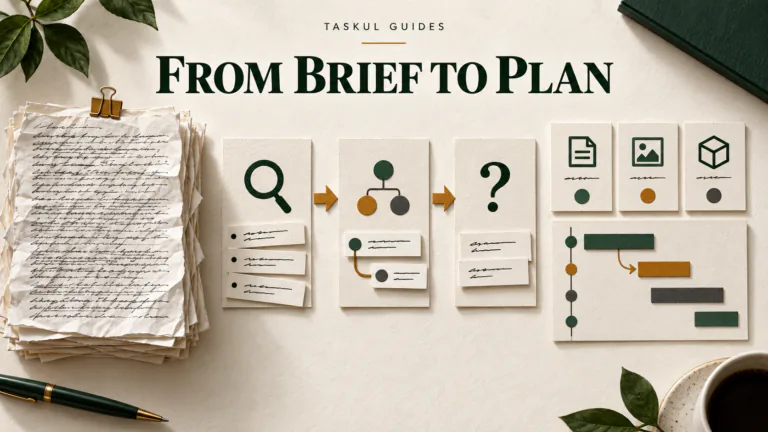
TASKUL takes pasted client briefs, emails, chat threads or call notes and writes tasks and due dates. Scattered messages become a scope list, things to watch out for and the client’s brand rules. Its AI also notices additions and changes of mind. These are the published capabilities to test, not a guarantee that every interpretation will be correct.
The AI runs on a monthly credit allowance, checked on 29 September 2026. Storing more tasks and asking the AI to process more material are different activities, so check how your own briefs and threads use the allowance before relying on it.
I would include our product when translating client messages into project work is the recurring problem. Compare the generated scope with the source, check the due dates, and introduce a changed instruction. Judge whether the resulting tasks remain faithful to the client’s decision.
What “free AI project management tools” actually means
For the products above, checked on 29 September 2026, the clear distinction is between free task management and free AI access. Asana Personal does not list AI. Trello and monday.com place the listed AI features behind paid tiers. ClickUp offers limited access and Notion labels it a limited trial. Do not budget for ongoing AI work on the strength of a free account button.
If your budget for AI is zero, start by deciding whether ordinary task management solves the problem. A manually maintained task list may be sufficient when the brief is clear and the work repeats. Use limited AI access to evaluate usefulness, while keeping a process you can continue without it.
Do not pay simply because the generated text sounds professional. Pay only if the useful work left after review justifies the subscription, usage charges and effort of maintaining the system.
The four capabilities worth testing
Use these as evaluation categories, not as a claim that every product supplies all of them. Each needs a different test.
Turning a brief into a task list
Ask for deliverables, the work required to produce them, dependencies and unresolved questions. Compare the output with the original brief. Watch for extra deliverables that sound sensible but were never agreed, and for dates that were inferred rather than supplied.
The output should be a draft you can inspect. It should not quietly become a commitment to the client. Our guide to turning a client brief into a project plan gives you a manual baseline to compare it with.
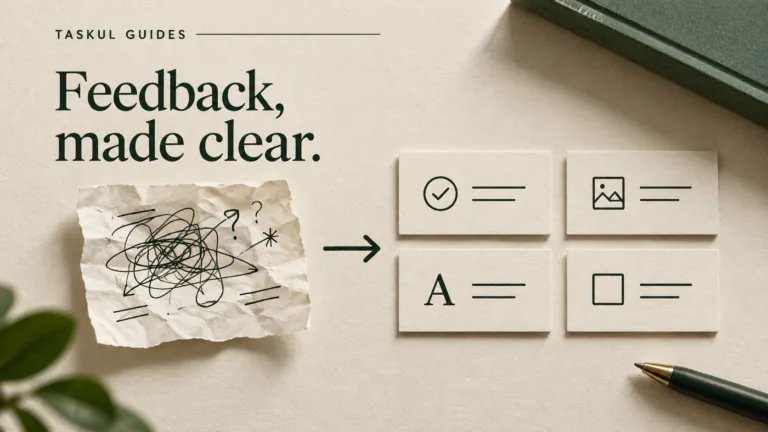
Summarising a client thread
Ask for decisions, approvals, changed instructions and unanswered questions separately. Request the source passage for each decision so you can check it. A short summary that merges an early suggestion with a later approval can leave you working to the wrong instruction.
Judge whether the output helps you find the deciding message. Brevity alone is not the goal.
Noticing work that needs attention
Test for overdue tasks, missing owners and work waiting on a client response. Decide which of those problems actually requires AI. A saved view or a rule may be sufficient when the condition is explicit.
For a suggested priority, ask what evidence made it urgent. You need to recognise a real delivery risk, not merely see a confident ranking. Compare that ranking with your available capacity using freelance capacity planning.
Drafting a client update
Ask for a draft grounded in confirmed progress, outstanding decisions and the next action needed from the client. Read it for promises you have not made. A friendly sentence can accidentally commit you to extra work or an unapproved deadline.
Keep sending separate from drafting. The useful result is a message you can review and stand behind.
Where AI needs your judgement
- Estimating work. Do not accept an effort estimate without checking it against your own completed jobs. The tool needs evidence about your process, revision load and dependencies. A task breakdown can help you estimate; it does not validate the hours. Use your records when setting freelance rates.
- Prioritising incomplete information. A task list may omit a promised delivery date, a sensitive client relationship or a dependency outside the project. Supply that context and review the order yourself.
- Interpreting scope changes. Detecting a new request is not deciding whether it belongs in the agreed work. Review the agreement and resolve the change with the client. Our guide to stopping scope creep covers that conversation.
- Answering tax and business-registration questions. Do not use an AI task tool to decide GST treatment or whether you need an ABN. Start with our GST guide for Australian freelancers and ABN guide, then check the relevant official guidance or get advice for your circumstances.
Does the AI write into the system?
Does the AI create or update usable project records, or only describe what you should create? Both can be useful. They remove different amounts of manual work. If your problem is entering tasks, include that final step in the evaluation.
Use the following invented brief as a starting test. It contains an unresolved date and a client dependency on purpose.
Invented example: Harbourline Coffee wants a landing page. The client will supply approved copy and photographs. Design approval must happen before development. The launch date is not confirmed. Please identify the tasks, dependencies and questions we need answered. Leave unknown dates unassigned.
Then add this invented follow-up: “The client has added a newsletter sign-up section. They have not approved the extra work. Flag it for a scope decision.”
Inspect the result inside the project. Did it preserve the missing launch date? Did it keep approval before development? Did it distinguish the new request from agreed work? If the feature cannot write tasks, record the copying and setup you still need to do. Do not assume another tool in this comparison supports the same action without testing it.
Before using a real brief, check the vendor’s data handling, retention and training terms against your client obligations. Use a redacted or invented input when necessary. During testing, check who can see the created records and how you can correct an unwanted change.
How to choose, in order
- Name the recurring job. Pick a real bottleneck, such as translating client feedback into tasks. Avoid a broad goal like “use more AI”.
- Estimate your usage from actual work. Look at recent briefs, threads and project updates. Include revisions and reruns. Do not assume each action consumes an identical request or credit amount.
- Test representative input. Use the invented example above, then suitable material from your own workflow. Keep ambiguity in the test so you can see how the tool handles it.
- Inspect the records and corrections. Check scope, owners, dependencies and dates. Record what you must copy, remove, rewrite or verify before you can use the result.
- Calculate the whole cost. Include required seats, the base subscription, AI add-ons and likely extra usage. Check the billing currency and commitment period. Find out whether exhausted usage stops the feature or creates an additional charge.
- Choose against your manual baseline. Compare the remaining admin and cost with how you do the job today. Keep the manual process if the benefit is unclear.
Your AI tool decision sheet
Copy these prompts into a document and complete them for each shortlisted tool. Use observations from the test, rather than vendor adjectives.
- The job: What repeated task am I trying to remove?
- The input: What material did I test, and what information was missing?
- The result: What appeared in the project, and what remained only in chat or a document?
- The corrections: What did I have to fix before the work was safe to act on?
- The meter: Which feature allowance did I use, and what happens when it runs out?
- The commitment: What is the full cost in the billing currency, for the people who need access?
- The decision: What evidence makes this worth keeping, or what failed the test?
A useful decision can be “keep the current tool and use less AI”. It can also be “pay for the feature that handles this recurring job well”. For deciding which admin jobs to test next, see AI for freelance admin.